How to manage SQLServer

Managing a Microsoft SQL Server instance efficiently requires selecting the right management tool for the workload at hand. Database administrators, developers, and DevOps engineers often rotate between full-featured GUI consoles, lightweight cross-platform code editors, and fast command-line utilities. This guide details how to install and configure the essential tools for SQL Server management on Windows—including SQL Server Management Studio (SSMS) and Visual Studio Code with the official SQL extension—and walks through three distinct ways to establish database connections and run T-SQL queries using SSMS, VS Code, and the sqlcmd utility. ...

August 27, 2026 · 7 min · PwshTips

Fix Discord Error Code 4294967295

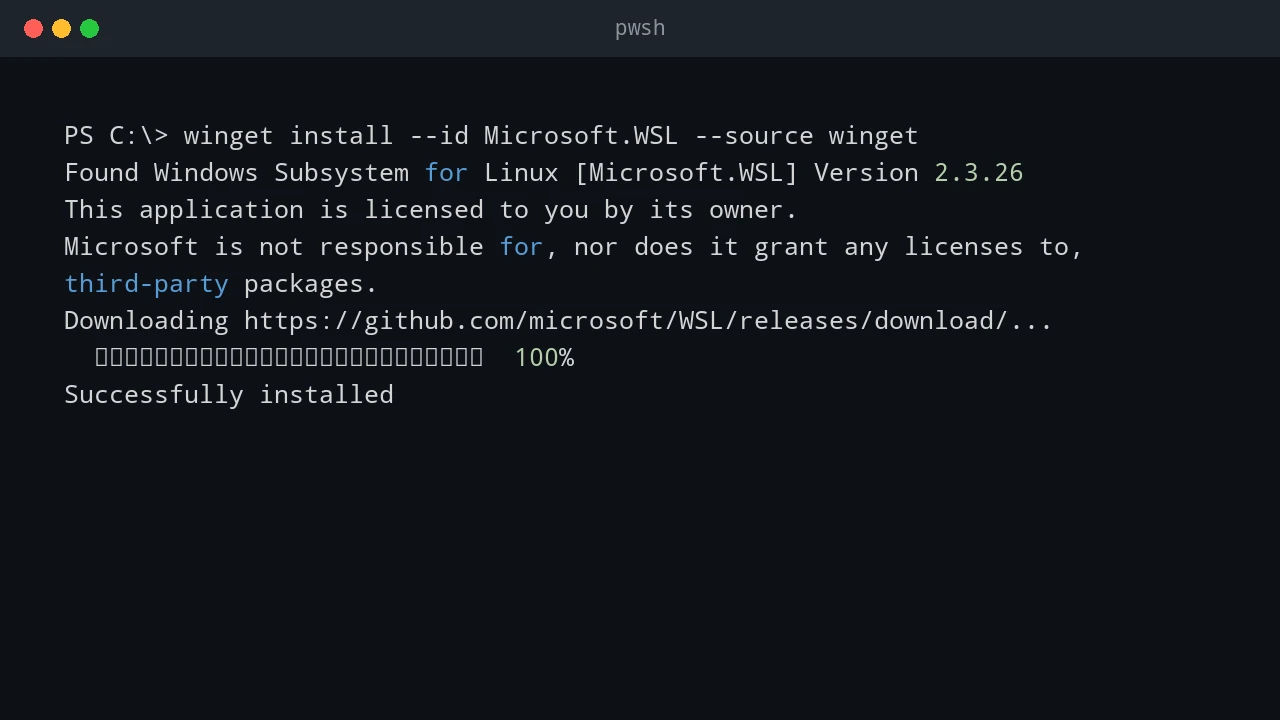
When installing or updating Discord through Windows Package Manager (winget), the installation can suddenly abort right after the installer package downloads and verifies. Instead of launching the app, winget reports a failure with exit code 4294967295, and a setup dialog displays “Installation has failed”. This error is common during unattended deployments, scripted workstation setups, or manual package upgrades where an older copy of Discord was already running or partially installed. ...

August 23, 2026 · 8 min · PwshTips

Manage Active Directory Without Logging On to a Domain Controller

Routine Active Directory work does not require an RDP session or an interactive console sign-in on a domain controller. A separate, managed administration workstation is a better place to run the AD tools, inspect objects, make a narrow change, and keep a record of who performed it. That separation matters. Domain controllers hold directory credentials, Kerberos keys, DNS data, and the tools that change the forest. Browsing the web, opening email, or running a general-purpose admin desktop workflow on a DC increases the chance that a workstation-style problem becomes a directory-wide incident. ...

August 16, 2026 · 10 min · PwshTips

Run Go Programs from PowerShell

Go and PowerShell work well together on Windows. PowerShell is convenient for orchestration, object filtering, scheduled tasks, and Windows management APIs. Go is useful when a small tool needs a single compiled executable, predictable startup behavior, or easy distribution to machines that do not have a PowerShell module installed. The useful split is simple: use PowerShell to prepare inputs, call the Go program, inspect its output, and react to its exit code. Let the Go program own the focused task it was written for. Do not make PowerShell scrape a human-oriented console screen when the Go command can return structured JSON or a clear exit code instead. ...

August 16, 2026 · 9 min · PwshTips

Run PowerShell Scripts from Go

Go is a good place to coordinate a Windows utility that needs a compiled executable, HTTP service, queue worker, or structured application logic. PowerShell is still useful for the Windows task itself: calling a mature module, querying local configuration, or using an administrative command that already exists as a script. The reliable boundary is a PowerShell script file with named parameters, predictable standard output, useful standard error, and an explicit exit code. Let Go launch that file as a process. Do not build one large PowerShell command string from user input and hand it to -Command; nested quoting becomes fragile and command injection becomes easy to introduce. ...

August 16, 2026 · 11 min · PwshTips

Upgrade Go to the Latest Version on Windows

Upgrading Go on a Windows workstation should be a small change, but it can become confusing when two things change at once. The installed Go compiler changes first. Then a command such as go mod tidy may propose changes to go.mod and go.sum. Those are related, but they are not the same job. I keep the first upgrade test deliberately narrow: install or select the new compiler, run the existing project’s tests and build, and inspect the module files before accepting any change. That gives a useful answer when a project fails: is this a compiler/toolchain problem, or did the dependency graph change? ...

August 16, 2026 · 11 min · PwshTips

Fix Windows Primary Domain Failed

A domain user might be unable to sign in to an otherwise healthy Windows workstation and receive this message: The trust relationship between this workstation and the primary domain failed. A Windows workstation cannot authenticate its computer account to the Active Directory domain. This is an Active Directory computer-account problem, not usually a bad password for the person signing in. The workstation has a secure channel to the domain. Windows uses that channel to authenticate the computer account before it can complete normal domain operations. When the workstation and Active Directory no longer agree on that account’s machine password, Windows refuses the domain sign-in. ...

August 12, 2026 · 8 min · PwshTips

Fix Failed Code 1618

I received error 1618 when installing 7-Zip with winget. The package was found, the installer hash was verified, and the installation started, but Windows reported that another installation was already in progress. This error is normally related to Windows Installer, also known as MSI. Windows Installer allows only one MSI installation transaction at a time. If another operation is running, waiting for input, or stuck after an earlier failure, a second package installation returns error 1618. ...

August 11, 2026 · 7 min · PwshTips

Manage Hosts by RDCMan and Tabby

I manage two different types of remote computers every week: Windows hosts that I access through Remote Desktop Protocol (RDP), and Linux hosts that I access through Secure Shell (SSH). Instead of putting every connection into one large application, I use two focused tools: Microsoft Sysinternals RDCMan for Windows RDP connections and Tabby for Linux SSH connections. This arrangement keeps the connection type visible. When I need a Windows desktop, I open RDCMan. When I need a Linux shell, I open Tabby. Both applications are lightweight enough to leave available during the day, and both let me organize a growing list of hosts into named groups. ...

August 10, 2026 · 9 min · PwshTips

How to Detect If a Host Is Windows or Linux

When I receive an IP address or hostname, the first question is often whether the remote host is running Windows or Linux. That determines which tools, credentials, ports, and remote-management protocols I should try next. There is no universal detection command that works against every host. A firewall can block ping, WinRM, CIM, and SSH, and a network device can answer in a way that looks like an operating system. The most reliable method is to query an operating-system-specific service after confirming that the host is reachable. ...

August 9, 2026 · 10 min · PwshTips