
GitHub for Sysadmins: 2FA, Tokens, PR Workflows
A practical guide to GitHub: registration, mandatory 2FA, token authentication, repositories, projects, gists, cloning, and pull request workflows.
A practical guide to GitHub: registration, mandatory 2FA, token authentication, repositories, projects, gists, cloning, and pull request workflows.
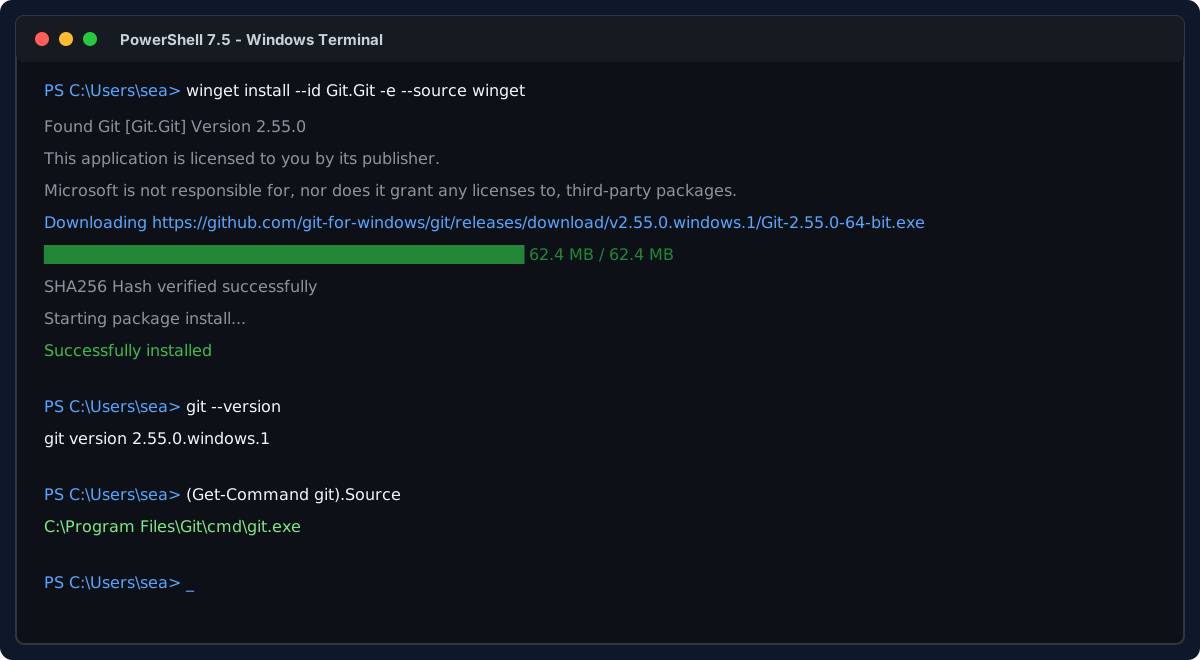
Install Git on Windows and WSL Linux, configure shared Windows credentials, set line ending standards, and master daily Git commands.
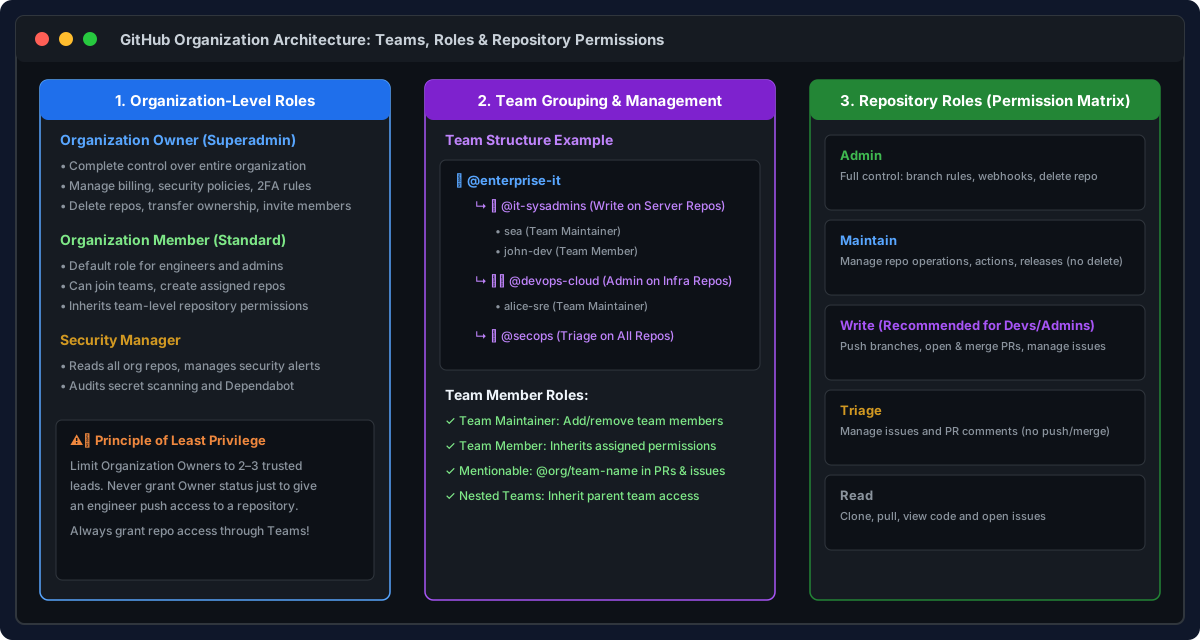
Comprehensive guide to GitHub Organizations and Teams: member roles, granting repository access, branch protection, CODEOWNERS, and Pull Request reviews.
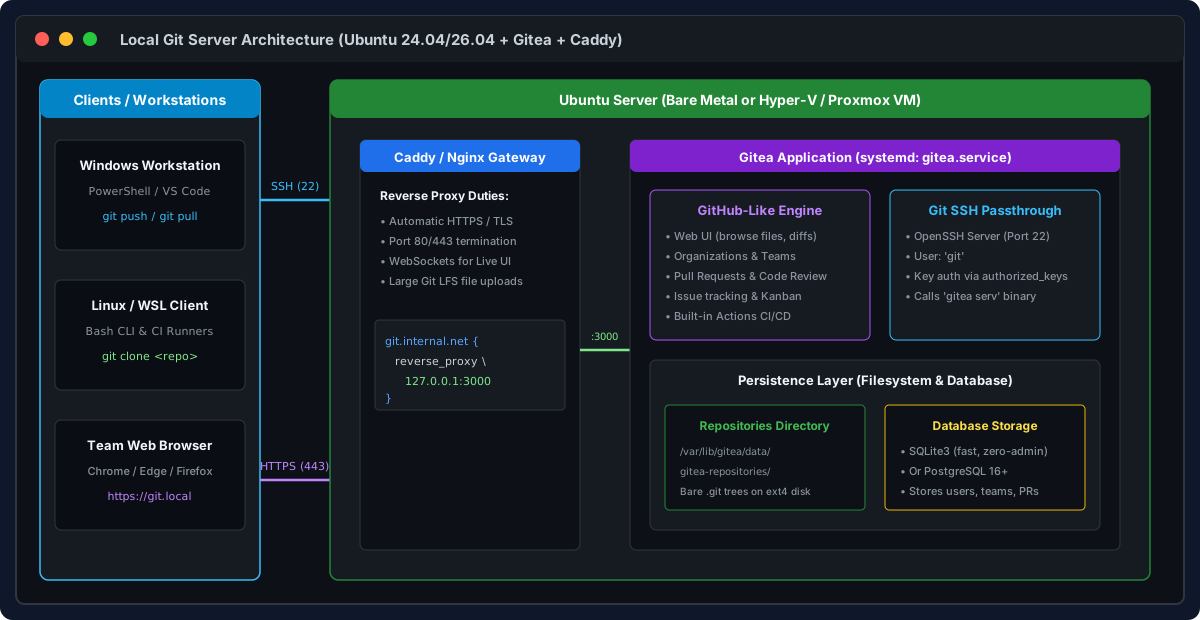
Step-by-step guide to building a self-hosted, GitHub-like Git server on Ubuntu using Gitea, Caddy reverse proxy, SSH passthrough, and team permissions.

Fix the fatal: bad object HEAD error in git status on Windows caused by a corrupted HEAD reference or missing objects, with step-by-step recovery commands.