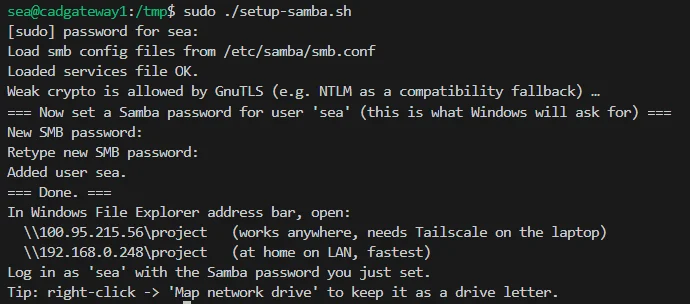
Bidirectional SMB File Sharing Between Linux and Windows 11
Share a Linux ~/project to Windows Explorer via Samba, and mount a Windows D:\project share back on Linux via CIFS — both over Tailscale.
Share a Linux ~/project to Windows Explorer via Samba, and mount a Windows D:\project share back on Linux via CIFS — both over Tailscale.
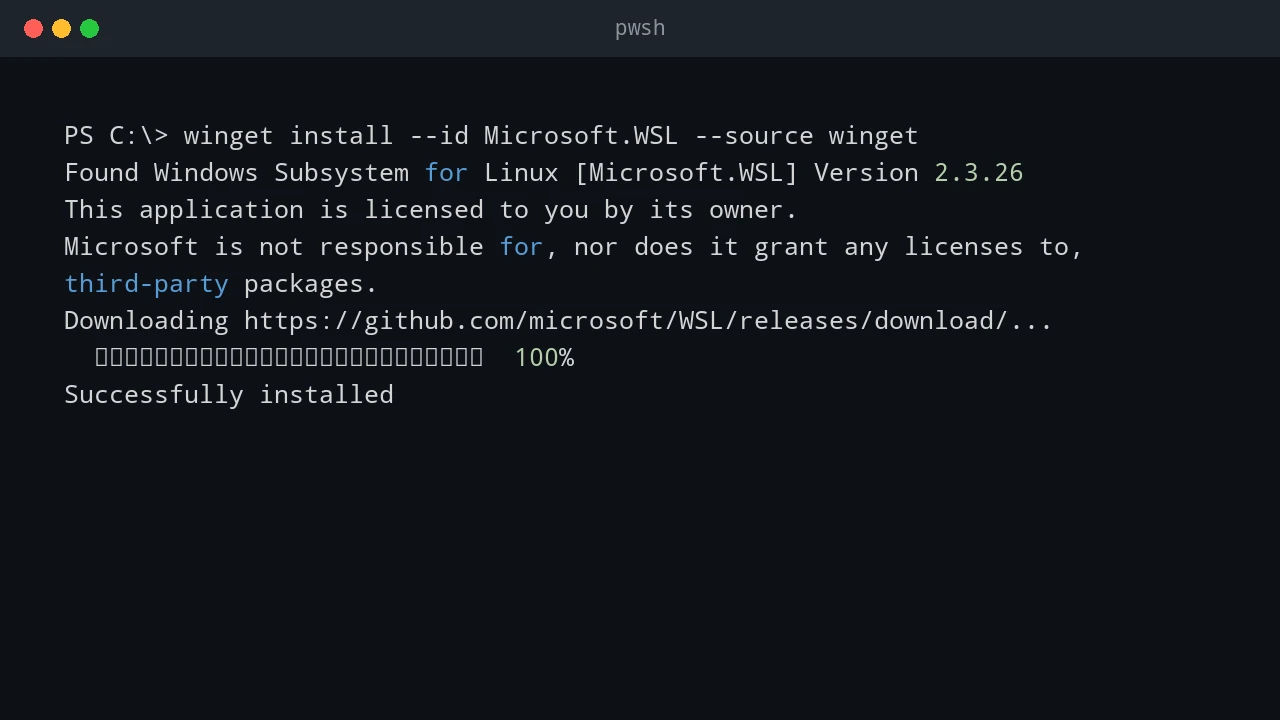
A practical guide to installing WSL on Windows, configuring your Linux user, moving files between Windows and Linux, and going further with web servers, PowerShell, and VS Code.
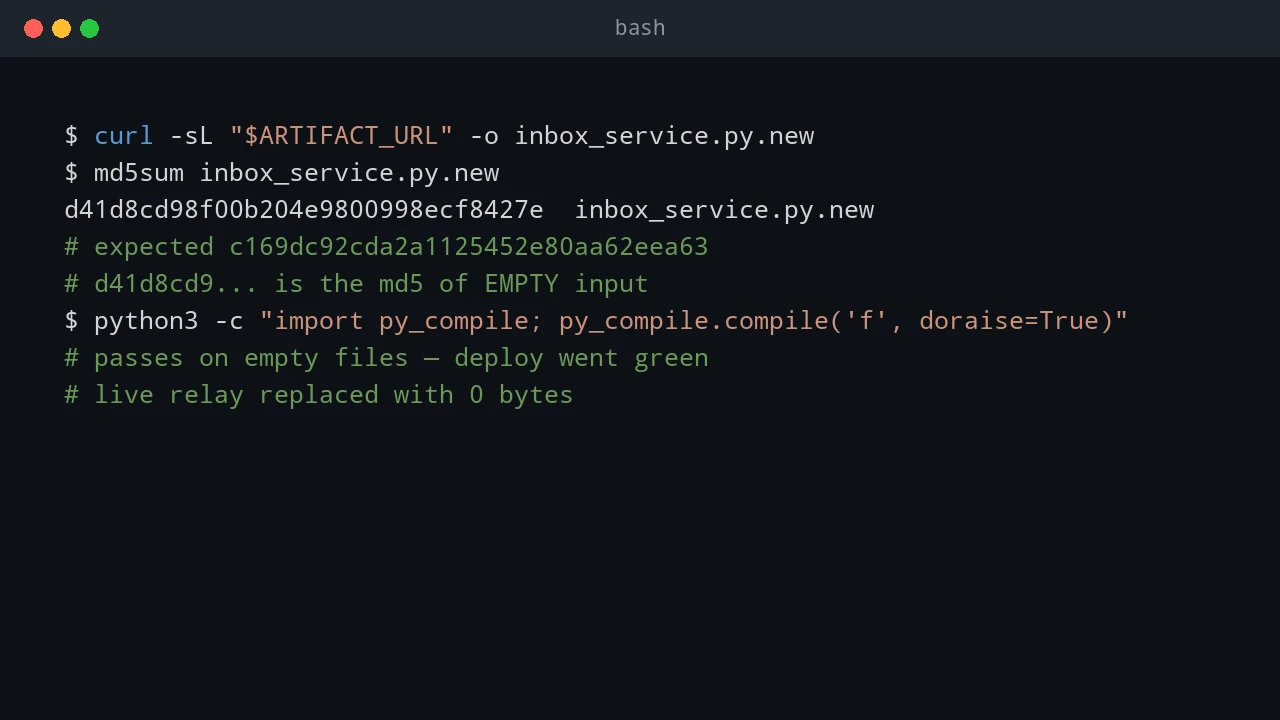
Building a 60-second failover standby for my dev environment — and the two outages that taught me to never trust an all-green deploy chain.
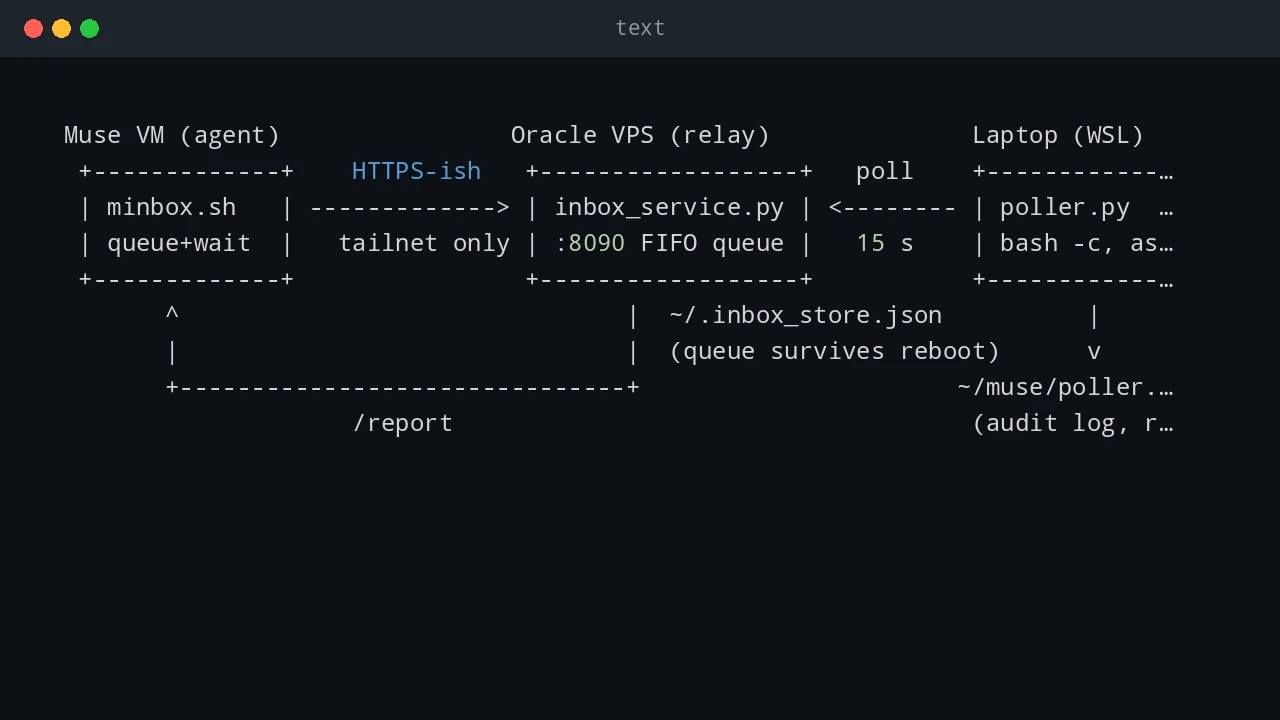
A persistent, bidirectional command channel between an AI agent VM, a small VPS relay, and a Windows laptop's WSL — what each piece does, how to set it up, and the dozen pitfalls I actually hit.
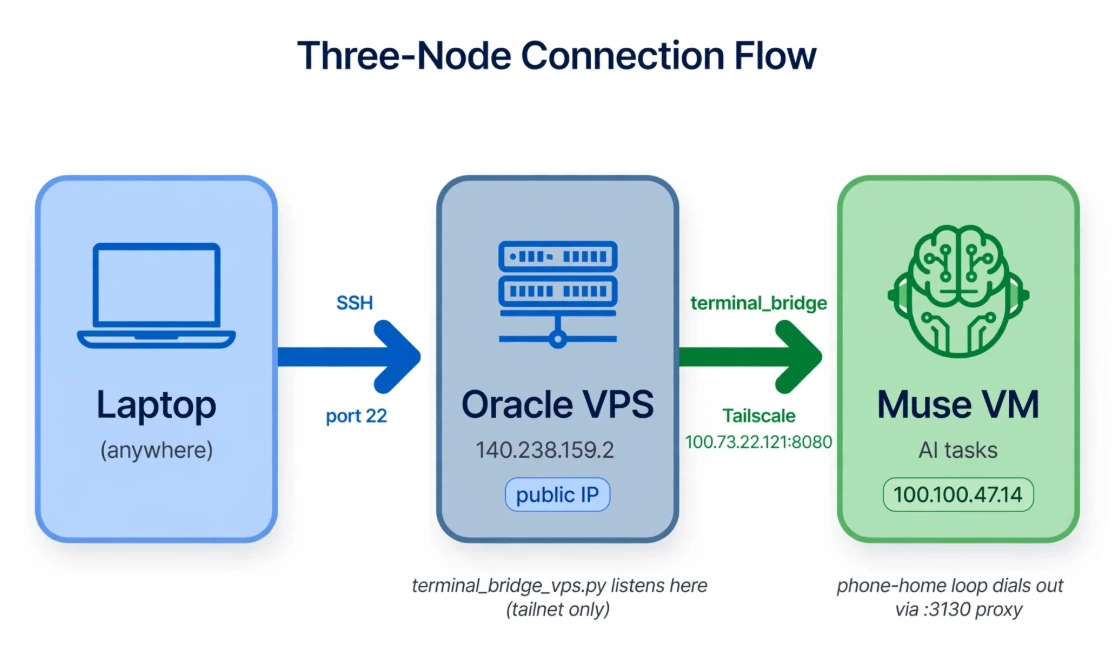
A Tailscale terminal-access postmortem: separate control-plane failures from SSH, trace TCP resets, and choose an authenticated access path.
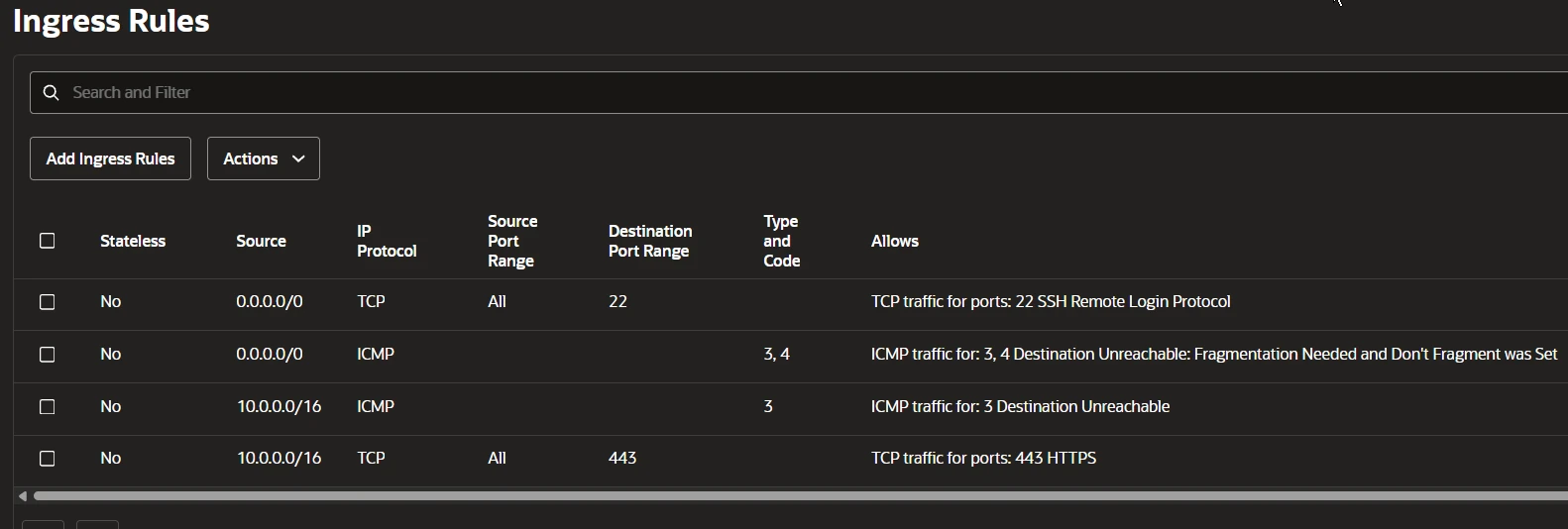
A reverse SSH tunnel test with an Oracle Cloud VPS, Ubuntu socket activation, proxy diagnostics, and the egress policy that stopped connectivity.
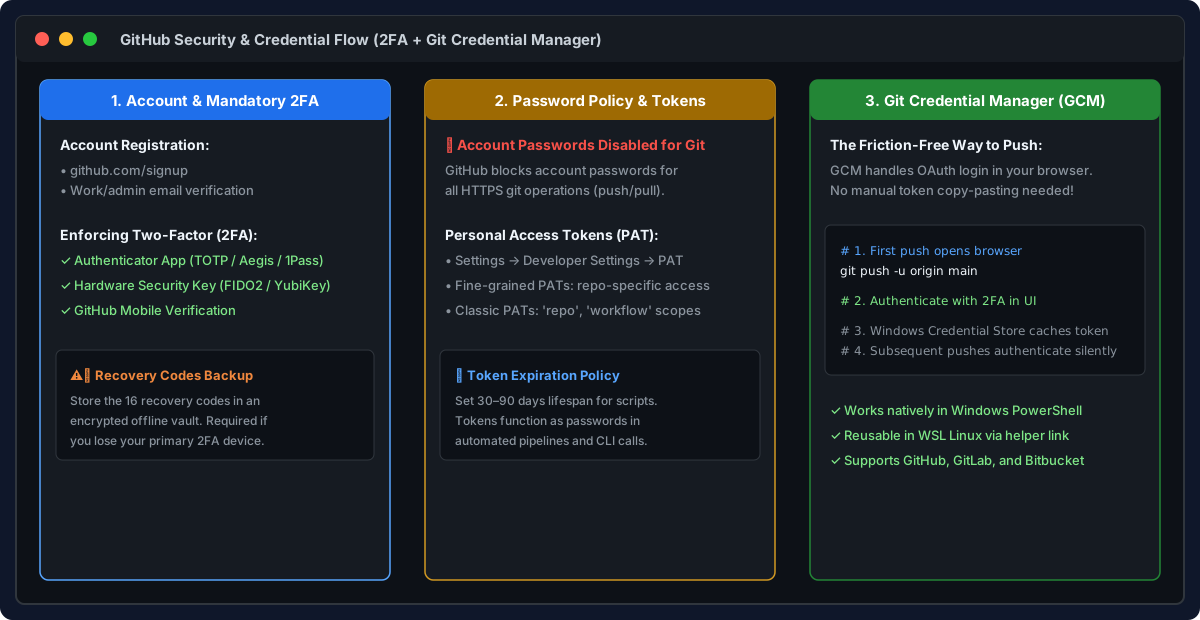
A practical guide to GitHub: registration, mandatory 2FA, token authentication, repositories, projects, gists, cloning, and pull request workflows.
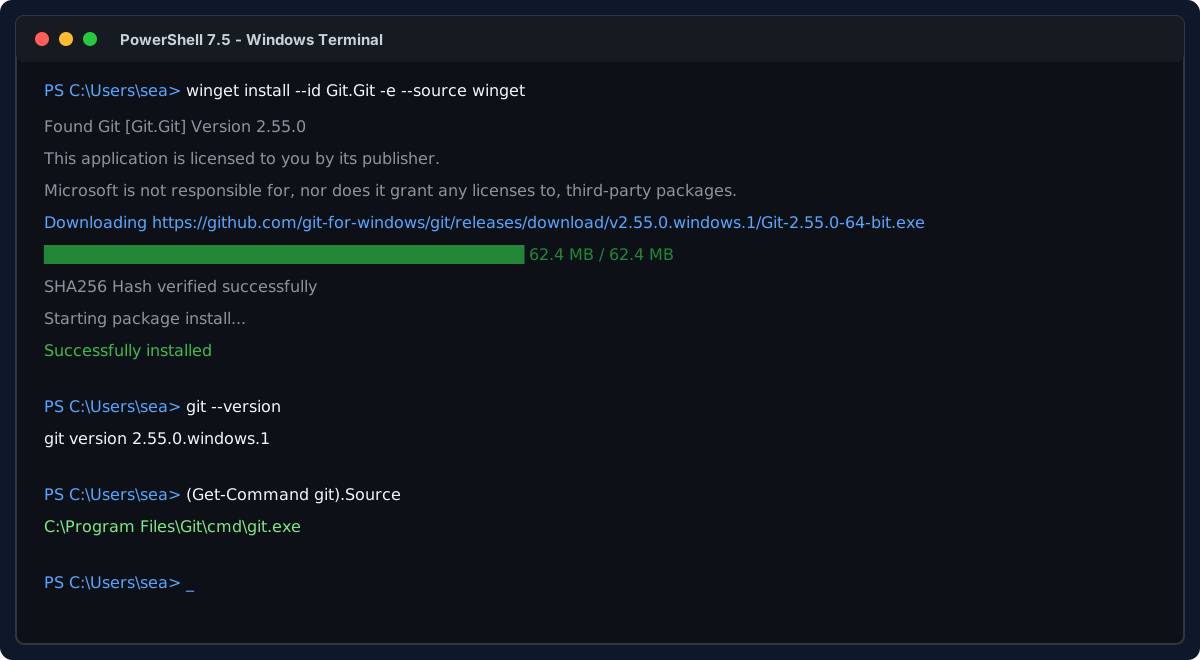
Install Git on Windows and WSL Linux, configure shared Windows credentials, set line ending standards, and master daily Git commands.
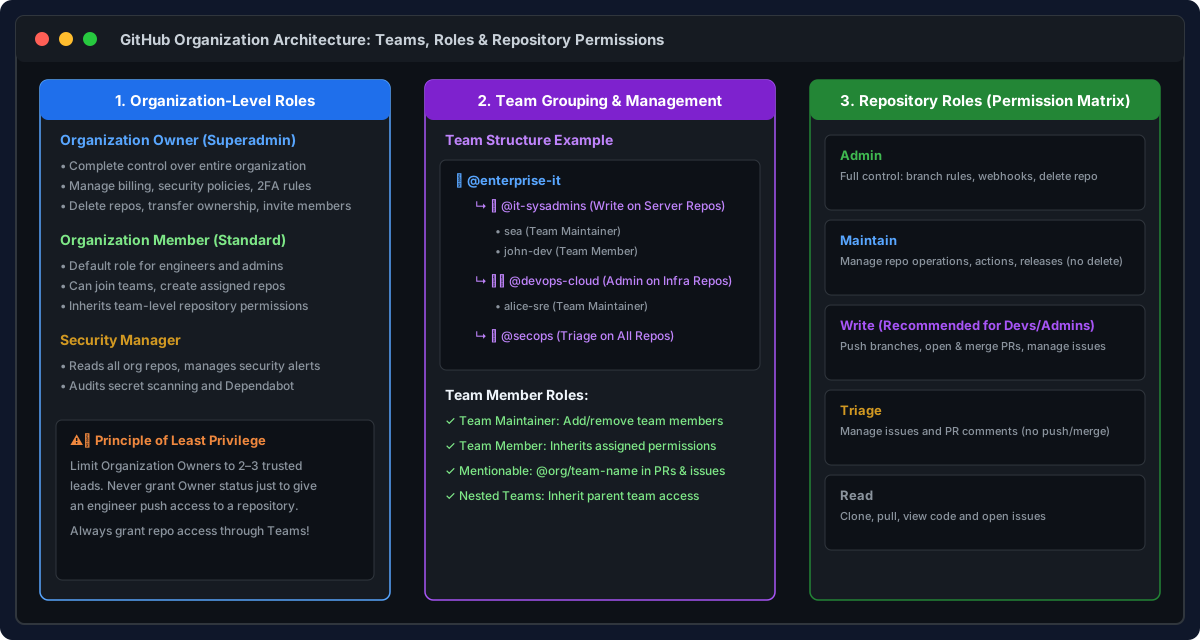
Comprehensive guide to GitHub Organizations and Teams: member roles, granting repository access, branch protection, CODEOWNERS, and Pull Request reviews.
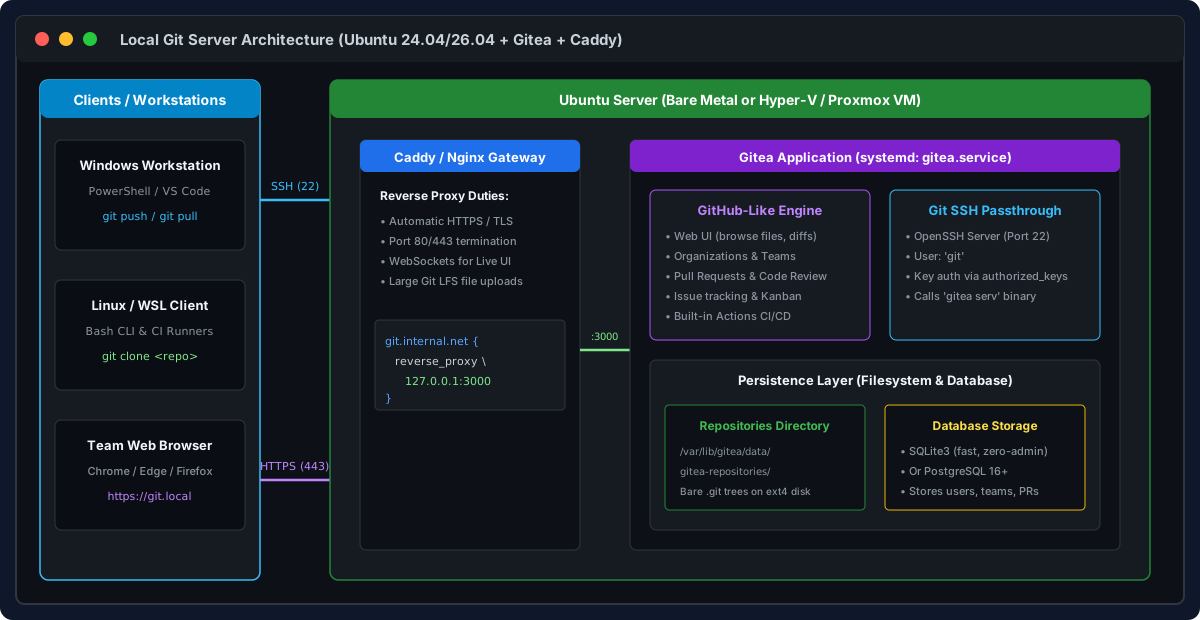
Step-by-step guide to building a self-hosted, GitHub-like Git server on Ubuntu using Gitea, Caddy reverse proxy, SSH passthrough, and team permissions.