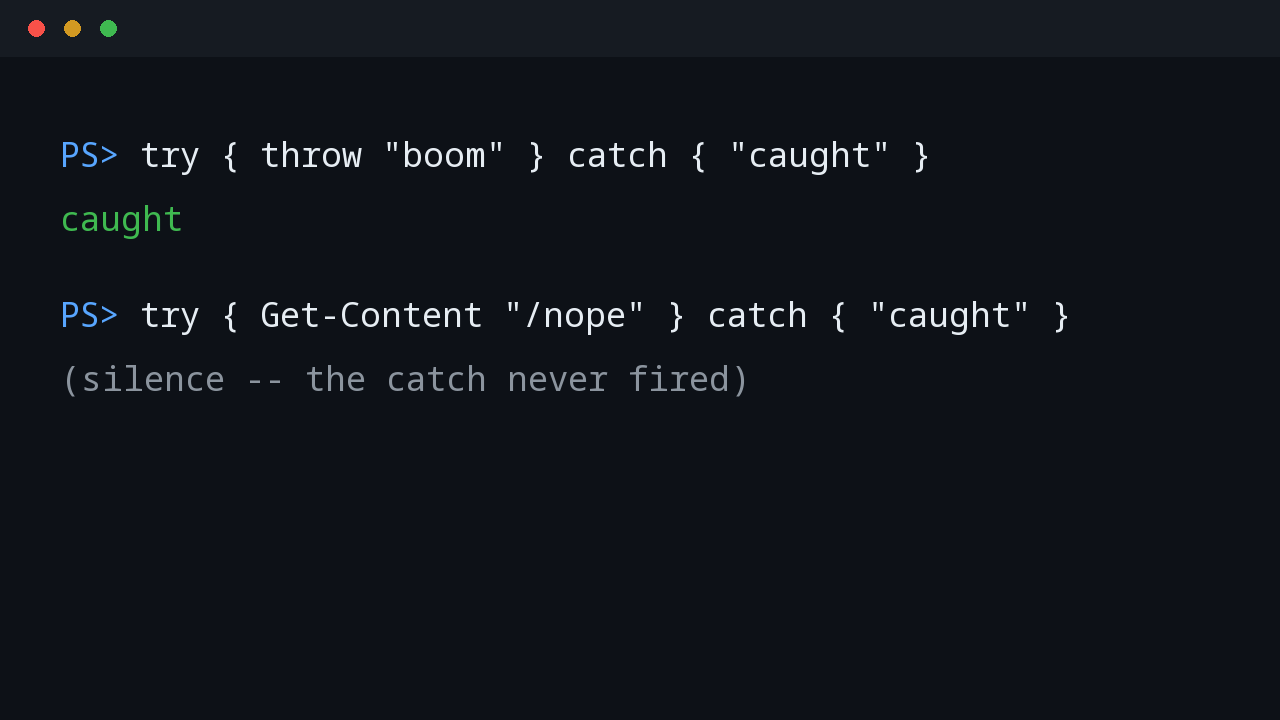
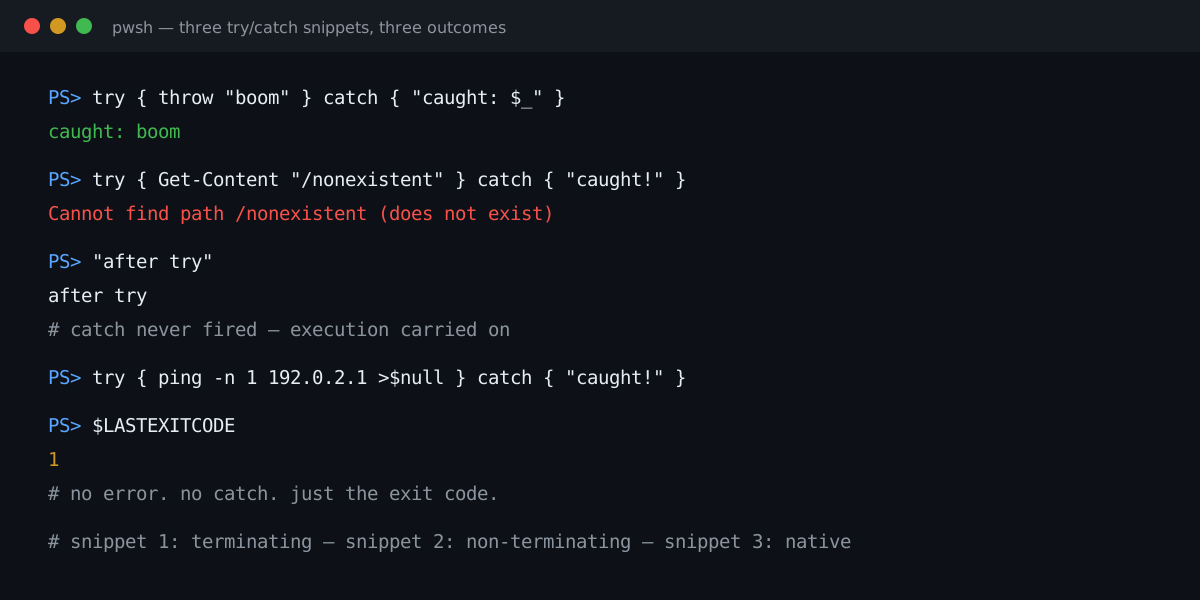
Three snippets. All wrapped in try/catch. Three different endings.
try { throw "boom" } catch { "caught: $_" }
# caught: boom
try { Get-Content "/nonexistent" } catch { "caught!" }
"after try"
# <red error text, then:>
# after trytry { ping -n 1 192.0.2.1 >$null } catch { "caught!" }
$LASTEXITCODE
# 1One caught. One ignored. One never even noticed. If you have ever stared at a catch block wondering why it did not fire, you were probably looking at snippet two or three while thinking in terms of snippet one.
Two kinds of errors, and a third that is neither
PowerShell errors come in two flavors, and try/catch only speaks one of them.
Terminating errors stop the statement dead: throw, .NET exceptions, syntax errors. These are what catch catches. Snippet one.
Non-terminating errors are a cmdlet telling you it could not do this particular thing, but it is fine and carrying on. A missing file for Get-Content, a service that is not there for Get-Service. They print red text, they get recorded in $Error, and execution continues on the next statement as if nothing happened. Your catch block never runs. This is by design — it is what lets Get-ChildItem C:\Logs\*.log -Recurse skip the folders you cannot read instead of dying on the first one.
Then there is the third category, which is not a PowerShell error at all: native executables. When robocopy exits 8 or ping.exe cannot reach the host, PowerShell sees no error object — red text or otherwise. The only witness is $LASTEXITCODE. try/catch is completely blind to it. Snippet three.
So the mental model is not “errors go to catch.” It is:
throw/ .NET exception → terminating → catch sees it- cmdlet hiccup → non-terminating → catch never fires,
$Errorrecords it - native exe failure → invisible → check
$LASTEXITCODEyourself
The error went somewhere
A non-terminating error that sailed past your catch is not gone. PowerShell records every error in $Error — a ring buffer of the most recent error records, newest first:
$Error.Clear()
Get-Content "/nonexistent" -ErrorAction SilentlyContinue
$Error.Count                         # 1
$Error[0].Exception.GetType().Name    # ItemNotFoundException
$Error[0].CategoryInfo.Category      # ObjectNotFound
Two things worth knowing. First, $Error is the audit trail — when a script did something strange and kept going, the story is in here. Second, the buffer is bounded (256 entries via $MaximumErrorCount), so in a long loop the evidence scrolls away. If you need a permanent record of per-item failures, collect them yourself with -ErrorVariable instead of trusting $Error to still hold them at the end.
And when the audit trail needs to outlive the session, send it to a file at the same time. Start-Transcript captures everything the console saw — the red text included:
Start-Transcript /tmp/demo.log | Out-Null
Get-Content "/nonexistent"   # red text on screen, script marches on
"continued, errors so far: $($Error.Count)"
Stop-Transcript | Out-Null
# /tmp/demo.log now holds both the error and the "continued" line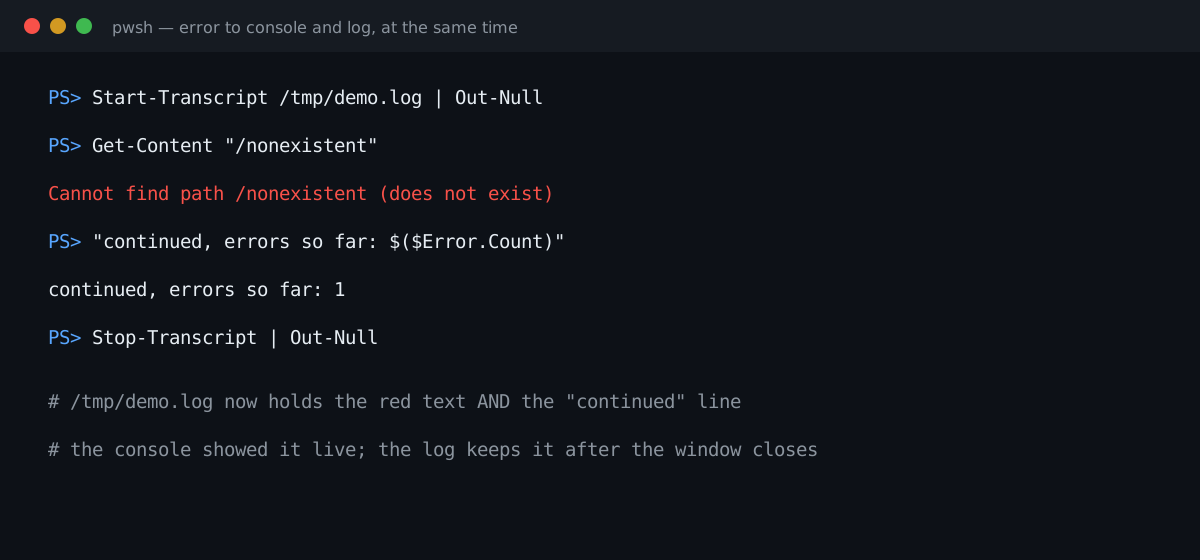
The promotion: -ErrorAction Stop
You can promote a non-terminating error into a terminating one. Two scopes:
# Surgical: just this call
try { Get-Content "/nonexistent" -ErrorAction Stop } catch { "caught!" }
# caught!

# Global: everything after this line
$ErrorActionPreference = "Stop"
The per-call -ErrorAction beats the preference variable for that call. That precedence is the whole game: the global preference sets the default, the per-call parameter overrides it.
One thing promotion cannot do: -ErrorAction Stop has no effect on native executables. There is no error record to promote — only an exit code. People discover this the hard way wrapping robocopy in try/catch and wondering why the catch stays empty.
Tip #42 on this blog told you to put $ErrorActionPreference = "Stop" at the top of every script. That advice is half right, and the wrong half bites. Here is when to use it and when to leave it alone.
(If you want the full production pattern — try/catch/finally with errors logged to both console and file — that recipe is already on this blog: PowerShell Try/Catch/Finally: Log Errors to Console and File. This post answers the question it leaves open: when should an error terminate, and when should it not?)
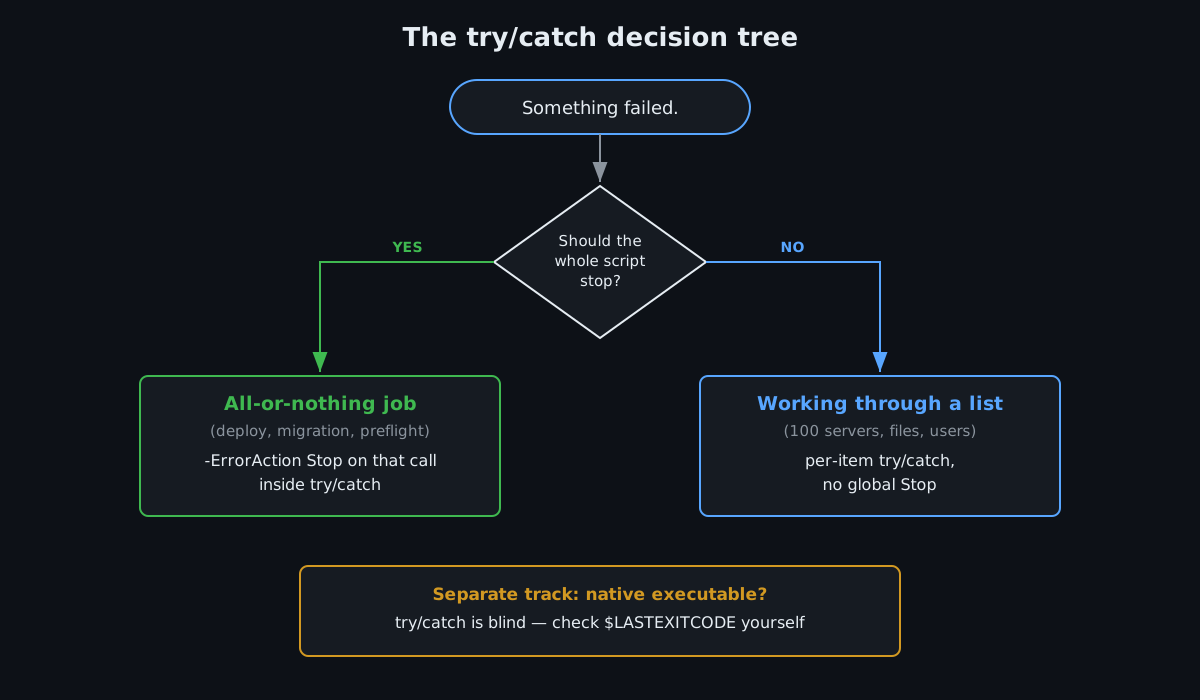
The decision tree, in words
Is this an all-or-nothing operation? A deployment preflight, a migration, a step where continuing after a failure means corruption. Then yes — make it terminating. Prefer the surgical -ErrorAction Stop on the specific calls inside try/catch over the global preference. You get the catch without rewriting the rules for the whole script.
Are you working through a list where one bad item must not kill the rest? A hundred servers, a folder of files, a batch of users. Then do NOT set global Stop — this is exactly where the tip-#42 advice backfires. Measured:
$ErrorActionPreference = "Stop"
$count = 0
try {
    foreach ($f in "/etc/hostname", "/nonexistent-xyz", "/etc/hosts") {
        $null = Get-Content $f
        $count++
    }
} catch { }
"processed=$count"   # 1. The loop died on the missing file.
One missing file, and everything after it never gets processed. The correct bulk pattern keeps the default and handles each item:
foreach ($server in $servers) {
    try {
        Invoke-Command -ComputerName $server -ScriptBlock {
            # ...
        } -ErrorAction Stop
    } catch {
        Write-Warning "$server failed, moving on: $_"
    }
}
Stop is scoped to the one call that matters. The loop survives.
Do you need the error details without stopping? -ErrorVariable with SilentlyContinue:
Get-Content "/nonexistent" -ErrorVariable ev -ErrorAction SilentlyContinue
if ($ev) { Write-Warning "Skipped: $($ev[0].Exception.Message)" }
Was it a native executable? Then none of the above applies. try/catch cannot help you. Check $LASTEXITCODE explicitly, every time:
robocopy $src $dst /MIR
if ($LASTEXITCODE -ge 8) { throw "robocopy failed: $LASTEXITCODE" }
(Robocopy exit codes below 8 are shades of success — a whole post on its own.)
The one-line version
throw→ catch sees it.- Cmdlet error → catch is blind unless you promote it with
-ErrorAction Stop. - Native exe → catch is blind, period.
$LASTEXITCODEor it did not happen. - Global
$ErrorActionPreference = "Stop"is a fail-fast switch. Only flip it when fail-fast is what you actually want.
That would have saved me a 3 AM or two.
Next in this series: the two hurdles of PowerShell remoting — WinRM versus SSH, and the authentication traps in each.
💬 Comments