It started with a reasonable wish: reach a web server running inside WSL2 through the tailnet. The server was bound to 0.0.0.0:1313, the machine sat on Tailscale at 100.76.219.45, and http://100.76.219.45:1313 should have just worked.
It did not. The connection died instantly, and the reason is baked into how WSL2 works: in its default NAT mode, WSL2 lives behind its own virtual NAT. The Tailscale IP belongs to the Windows host, and Windows does not forward it into the WSL2 network namespace. localhost:1313 worked from the laptop itself. The tailnet IP worked from nowhere — not even from inside WSL, where curling that same tailnet address returned nothing.
The documented fix looked simple: switch WSL2 to mirrored networking mode, where WSL shares the network stack of the Windows host and the tailnet address becomes directly reachable. One file, one restart:
# %USERPROFILE%\.wslconfig -- Windows side, not inside WSL
[wsl2]
networkingMode=mirrored
A quick aside that cost me real confusion earlier in the evening: .wslconfig lives on the Windows side at %USERPROFILE%\.wslconfig and controls VM-level settings. The Linux-side file is /etc/wsl.conf — different name, different purpose, and networkingMode is not recognized there. Any networkingMode change also needs a full wsl --shutdown; stopping just the distro is not enough.
I wrote the file, shut down WSL, and waited for it to come back up.
First symptom: silence
Something else lived in that WSL instance: a small poller script, the heartbeat of a command channel I rely on. After the restart it came back — the logs showed it starting at 22:58:19 and acquiring its lock — and then it went silent. No tasks picked up, no heartbeats answered. From my side the machine had simply gone dark.
The restart itself had gone according to plan, which made the silence more confusing. The relaunch script ran as a detached Windows process — deliberately placed outside the very thing being restarted — and the WSL instance came back with the poller already running. For about a minute, everything looked fine. Then the silence started: commands queued, nothing picked up, the machine dark from my side while perfectly alive from its own.
Diagnosis took two commands:
$ curl -s -m 10 http://100.73.22.121:8090/health
# ...nothing. Connection failed, exit 000.
$ ip link show | grep -i tailscale
# ...nothing. No output at all.
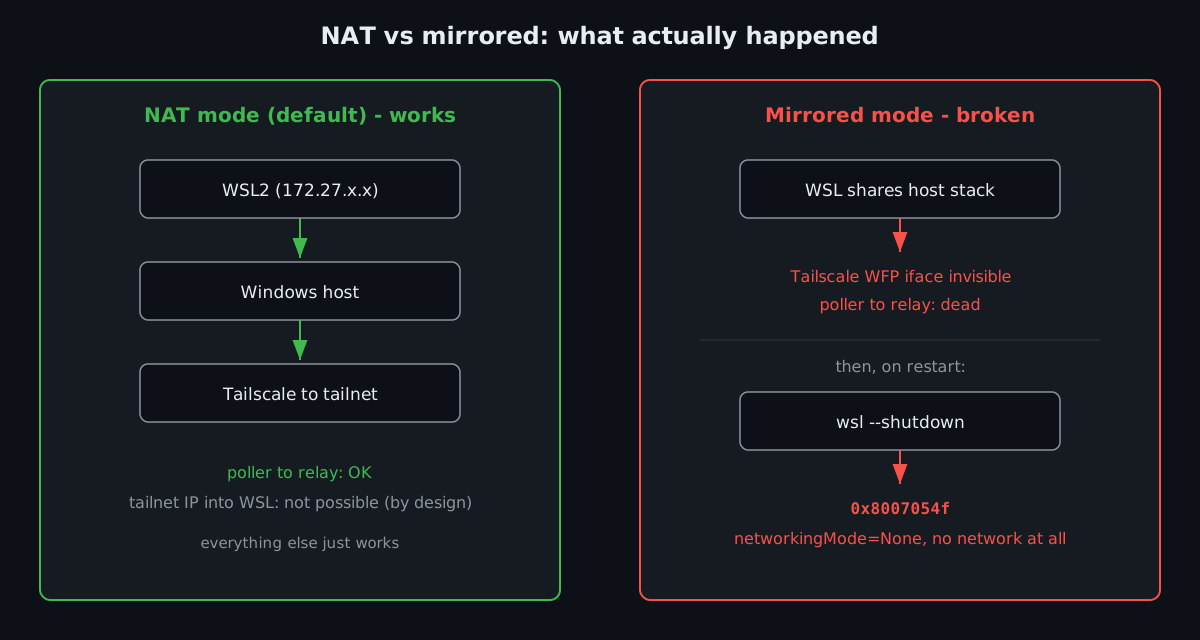
In mirrored mode, WSL is supposed to share the network interfaces of the host. But the Tailscale interface was simply not there. Tailscale on Windows is implemented as a WFP (Windows Filtering Platform) driver rather than a plain NIC, and mirrored mode did not bring it along into WSL. No tailnet interface meant no route to the tailnet — the poller was polling an address its network stack could not see, every 15 seconds, into the void.
That was bad. What came next was worse.
Second symptom: no network at all
On the next restart, WSL did not even try to be subtle:
PS> wsl --shutdown
PS> wsl
wsl: An internal error occurred.
Error code: CreateInstance/CreateVm/ConfigureNetworking/0x8007054f
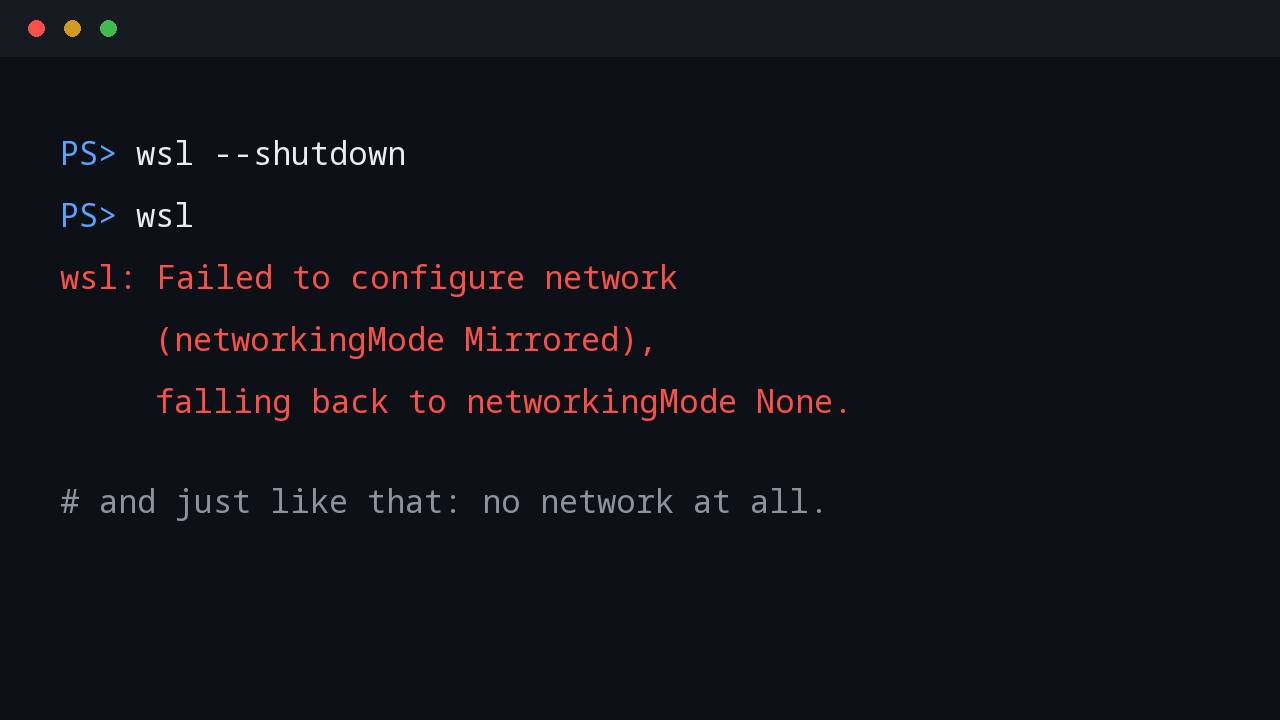
wsl: Failed to configure network (networkingMode Mirrored), falling back to networkingMode None.
Read that last line again: falling back to networkingMode=None. As in, no networking whatsoever. The instance booted with no network stack at all. Mirrored mode had not just hidden one interface — it had failed to configure networking entirely, and the fallback was to give up on networking completely.
This was WSL 2.7.12, well past the version where mirrored mode stabilized. Not a version problem — a conflict problem. The Tailscale WFP driver and the mirrored networking setup step on each other during VM creation, and the result is error 0x8007054f.
(The code itself is just Windows for “internal error” — the interesting part is the fallback. WSL did not retry, did not ask, did not log much beyond that one line. It booted the VM with networkingMode=None and carried on as if networking were optional. If you ever see that fallback, do not try to debug inside the VM — there is nothing to debug in there. The problem is the mode, and the fix is to remove it.)
The fix: give up on mirrored
The fix was the opposite of clever:
Remove-Item $env:USERPROFILE\.wslconfig
wsl --shutdown
Back to default NAT mode. WSL came up with its usual 172.27.x.x address, the poller reconnected to the relay on the first try, and the command channel was back before I had finished reading the logs. Total damage: about half an hour of debugging and one lesson written in permanent ink.
The preview that actually works
Here is the ironic coda: the original wish did come true — just not on the laptop. The Hugo preview server now runs on vm2, a Fedora VM that is a real member of the tailnet, and it is reachable exactly the way I wanted:
# on vm2
hugo server -D --bind 0.0.0.0 --port 1313 --baseURL http://vm2:1313/
From the laptop, http://vm2:1313 resolves through Tailscale MagicDNS and loads — a tailscale ping showed the path going directly over the LAN in 2ms, never touching the public internet. One gotcha bit me here too: without --baseURL set to the tailnet address, Hugo renders cover images as absolute http://localhost:1313/... URLs, which break the moment you view the page from another machine. The baseURL has to name the address your readers actually use.
A note on reaching vm2 itself: it has two addresses – 192.168.0.248 on the home LAN and 100.95.215.56 on the tailnet (or just vm2 via MagicDNS). The LAN address only works at home; the tailnet address works from anywhere, and at home Tailscale routes it directly over the LAN anyway (2ms in my test, never touching the public internet). Use the tailnet address everywhere – one address that works at home and away, with the LAN IP as a fallback for the day the Tailscale client misbehaves. One requirement: services on vm2 must bind 0.0.0.0 (or the tailnet IP explicitly) – anything listening on 127.0.0.1 only is invisible to the tailnet.
The setup even survived a harder test. My own VM sits outside the tailnet for ordinary networking, but it carries a Tailscale identity in client-only mode. Through the tunnel proxy it can reach tailnet addresses as well — the first request to each new address needs an approval click, and after that the page fetched fine: HTTP 200, 83KB of rendered draft. So the preview is visible from the laptop, from the VPS, and from my VM. Everywhere except, notably, from inside WSL2 via the tailnet — the one place I originally wanted it.
That is the real punchline. The service did not need a cleverer network mode on the laptop. It needed to live on a host where the network was never the problem. WSL2 is a superb development shell; it is not a server. The moment a service needs to be reachable — by the tailnet, by a phone, by anyone but you — put it on a real host and stop fighting the NAT.
When mirrored mode does make sense
To be fair, mirrored networking is not broken in general — it is broken in combination with Tailscale on Windows. Without a WFP driver in the mix, mirrored mode does exactly what it promises: WSL shares the host stack, localhost is truly shared, and services bound in WSL answer on the host addresses. If you do not run Tailscale or similar network drivers on Windows, it is a reasonable choice. My machine is just not that machine.
What I actually learned
Mirrored networking + Tailscale on Windows is a known-bad combination — at least on this machine, and I am not going to be the one to find the edge case where it works. If you run Tailscale on Windows, leave WSL2 in NAT mode.
A tailnet IP can never reach into WSL2 NAT. If you need a service on the tailnet, run it on a real Linux host or a VM with bridged networking, not inside WSL2. The preview server for this blog now lives on a Fedora VM on the tailnet, and that is where it is going to stay.
Know which config file you are editing. %USERPROFILE%\.wslconfig (Windows side; VM-level settings like networking mode, memory, CPU) versus /etc/wsl.conf (inside the distro; per-distro settings like automount). Similar names, completely different jobs.
Know what your restart takes down with it. The mirrored-mode restart killed a background poller I depend on. My relaunch plan survived only because it ran as a detached Windows process, outside the very thing being restarted. When you restart shared infrastructure, make sure your way back does not depend on the thing you just restarted.
The wish that started all of this — http://100.76.219.45:1313 from anywhere on the tailnet — remains ungranted. Some wishes are just telling you the architecture is wrong.
If you run Tailscale on Windows and you are thinking about mirrored mode, consider this post a data point from the field: it cost me a silent poller, a networkless VM, and half an evening. NAT mode is boring. Boring is good.
💬 Comments