Upgrading Go on a Windows workstation should be a small change, but it can become confusing when two things change at once. The installed Go compiler changes first. Then a command such as go mod tidy may propose changes to go.mod and go.sum. Those are related, but they are not the same job.
I keep the first upgrade test deliberately narrow: install or select the new compiler, run the existing project’s tests and build, and inspect the module files before accepting any change. That gives a useful answer when a project fails: is this a compiler/toolchain problem, or did the dependency graph change?
At the time of writing, Go 1.26.6 is the current stable release. Releases move quickly, so check the official Go downloads page before substituting the version shown in the commands below. The two choices are practical for different situations:
- Install the new release alongside the current one when several repositories, CI jobs, or customers still need the older version.
- Replace the current installation when this workstation should use one supported Go version and the old one is no longer needed.
The examples use PowerShell and a project in C:\Source\inventory-api. Run the project commands from the repository root, where its go.mod file lives.
TL;DR
For the least-risk first test, install Go 1.26.6 as a versioned side-by-side toolchain with golang.org/dl, then run go1.26.6 test ./... and go1.26.6 build ./... without editing go.mod. When the workstation should keep only one Go installation, remove the old Windows MSI installation, install the current MSI from go.dev, open a new PowerShell session, and confirm where.exe go returns the expected path. Do not change the go or toolchain directive in go.mod merely because the local compiler changed; review those as a separate source-controlled project decision.
Record the installed Go command and project state
Before changing anything, record what PowerShell currently resolves. A Windows computer can have Go from the official MSI, a package manager, a version manager, a development IDE, or a manually copied directory. Replacing the official MSI is only safe when that is the go.exe that PowerShell is actually using.
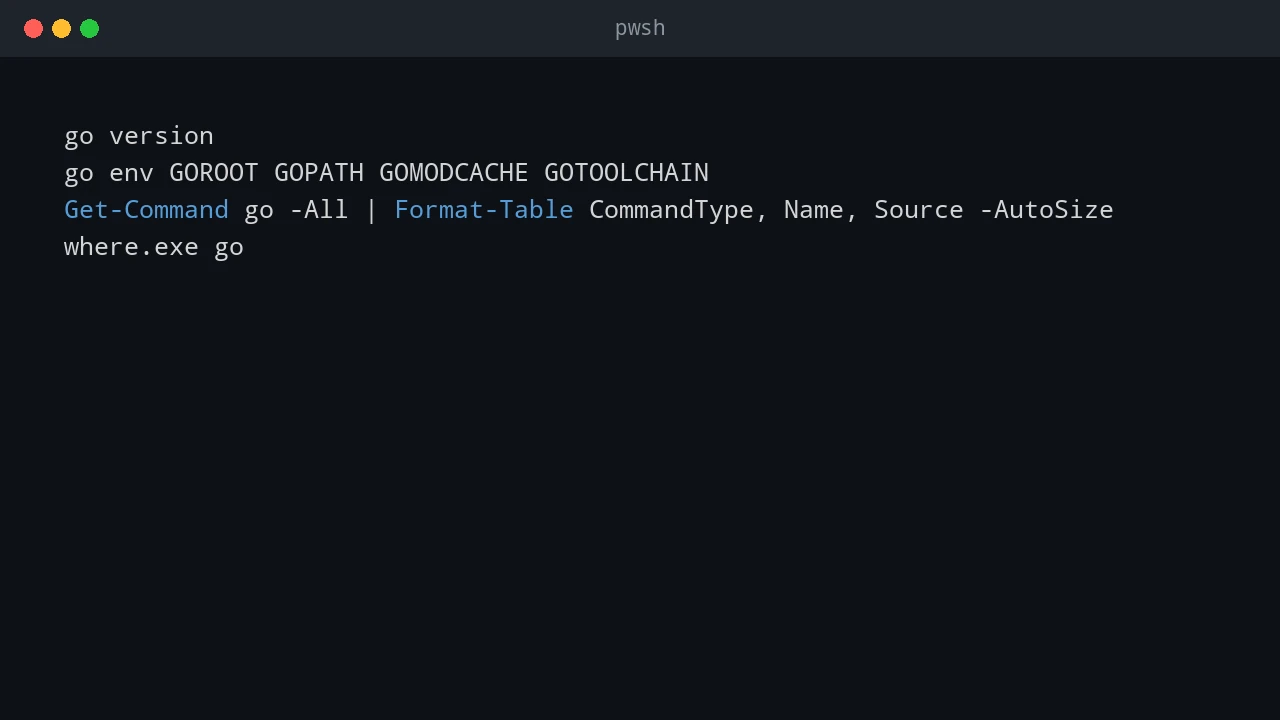
Open PowerShell and run these commands:
go version
go env GOROOT GOPATH GOMODCACHE GOTOOLCHAIN
Get-Command go -All | Format-Table CommandType, Name, Source -AutoSize
where.exe go
GOROOT is the compiler installation. With the standard MSI, it is normally under C:\Program Files\Go. GOPATH and GOMODCACHE are user workspace and downloaded-module locations. They are not the Go compiler installation and should not be removed during a normal upgrade.
Now enter a repository and make sure its module files begin clean. This matters because it makes changes made during the upgrade visible in Git instead of mixing them with work already in progress.
Set-Location C:\Source\inventory-api

git status --short
git diff --check
git diff -- go.mod go.sum
go env GOMOD
go env GOMOD should print the full path to that repository’s go.mod. If it prints NUL, PowerShell is not in a Go module. Change to the correct folder before using go test, go get, or go mod tidy.
Commit or stash unrelated work before an upgrade test. That is not a Go requirement; it simply means a later diff in go.mod or go.sum has a known cause.
Choose the upgrade path
Use side-by-side installation when an older release is still a supported target. It lets a single Windows machine test a project with go1.25.x and go1.26.6 by naming the required command explicitly. It is also the better path before a large upgrade, because it does not alter the plain go command used by existing scripts.
Use replacement when the older compiler is retired for this workstation. It keeps PATH, editor configuration, and scheduled scripts simpler because go points to one installation. Replacement is appropriate only after important repositories have passed with the new release or when the team has already agreed on the version.
Do not combine the two approaches by installing a second MSI into a random directory and putting both directories on PATH. Windows chooses the first matching go.exe, and the result changes when PATH order changes. Use Go’s versioned tool command for side-by-side work, or keep one MSI-installed Go directory for replacement.
Option 1: Install the new Go release side by side
Go provides version-specific tool commands through the golang.org/dl module. The command is a small launcher: it downloads the requested official Go distribution into its own cache and runs that version when invoked. It does not overwrite the normal go command.
First, make sure the current go command works, then install the launcher for the new version. Replace go1.26.6 with the version currently shown on go.dev if it has changed.
go install golang.org/dl/go1.26.6@latest

$goBin = go env GOBIN
if (-not $goBin) {
    $goBin = Join-Path (go env GOPATH) 'bin'
}

$env:Path = "$goBin;$env:Path"
go1.26.6 download
go1.26.6 version
go1.26.6 env GOROOT GOOS GOARCH
The $env:Path change affects this PowerShell session only. To use versioned commands in future sessions, add the directory reported by $goBin to the user PATH through Windows environment settings, then open a new terminal. Do not add the versioned toolchain’s internal GOROOT directory to PATH.
The versioned launcher makes the compiler choice visible in command history and automation. Test a project without touching its module metadata first:
Set-Location C:\Source\inventory-api

go1.26.6 test ./...
go1.26.6 vet ./...
go1.26.6 build ./...
For a project with a command under cmd\api, build only that command when the repository intentionally contains packages that are not binaries:
go1.26.6 build .\cmd\apiKeep using go for the existing compiler and go1.26.6 for the new one until the project and its CI configuration are ready to move. In a PowerShell script, resolve the versioned command once and call its full source path. This avoids a script unexpectedly using a different command named go1.26.6 later in PATH.
$goNew = Get-Command go1.26.6 -ErrorAction Stop
& $goNew.Source test ./...
if ($LASTEXITCODE -ne 0) {
    throw "Go 1.26.6 tests failed with exit code $LASTEXITCODE."
}
The launcher is ideal for testing, but it is not a deployment runtime. Build release executables in a controlled build environment, then distribute the resulting executable or artifact. Do not ask a production server to download a Go compiler just to run an application.
Option 2: Replace the existing Go installation
The replacement path is the normal choice for a personal development workstation once older projects no longer require the old compiler. Use the official Windows installer from the Go downloads page and choose the package matching the machine architecture, normally Windows x86-64 (amd64) or Windows ARM64 (arm64).
Close editors, terminals, and builds that might be using Go. Then capture the current state and remove the existing Go installation through Windows Settings > Apps > Installed apps, or run its uninstaller. Install the current official MSI after the old installation is removed. The standard installer uses C:\Program Files\Go and configures it for the normal go command.
Do not manually delete these locations as part of a compiler replacement:
- Project folders such as
C:\Source\inventory-apicontain source code andgo.modfiles. - The directory returned by
go env GOPATHmay contain installed helper programs and workspace files. - The directory returned by
go env GOMODCACHEcontains a module cache. It can be cleaned later withgo clean -modcachewhen necessary, but an upgrade does not require it.
Open a completely new PowerShell session after MSI installation. Existing terminals retain their old process environment and may still resolve a stale path. Verify the result:
where.exe go
Get-Command go -All | Format-Table CommandType, Name, Source -AutoSize
go version
go env GOROOT GOPATH GOMODCACHE
For a clean replacement, where.exe go should identify the expected current installation first and there should not be a forgotten old go.exe ahead of it on PATH. If GOROOT points to an old custom directory, check the User and System environment variables for a manually defined GOROOT. The standard installer does not need a manually maintained GOROOT; remove or correct a stale custom setting, then open another PowerShell session.
Package-manager installations need their own upgrade path. For example, a Go command installed through an enterprise software tool should be updated through that tool, not by layering an MSI on top of it. The diagnostic commands above reveal this before two installers compete for the same PATH entry.
Keep the Go module files under control
The installed compiler version is not automatically the version declared by a module. These lines have different roles:
module example.com/inventory-api

go 1.24

toolchain go1.25.4
The go directive declares the minimum Go language and module behavior version for the module. Raising it may prevent contributors or CI systems using older Go releases from building the project. Installing Go 1.26.6 locally does not require changing go 1.24 to go 1.26.
The optional toolchain directive records a preferred Go toolchain for commands working in the module. It can cause the Go command to select or obtain a newer supported toolchain when the local toolchain is older. Treat a change to this line as a team and CI decision, not a side effect to accept while testing a new local install.
Before any dependency-maintenance command, run the tests and build without modifying module files:
Set-Location C:\Source\inventory-api

git diff --exit-code -- go.mod go.sum
go test ./...
go build ./...
git diff --exit-code -- go.mod go.sum
When this succeeds, the compiler upgrade has passed the first important check without changing dependency metadata. If the final git diff --exit-code returns a nonzero exit code, inspect the diff rather than assuming it is harmless:
git diff -- go.mod go.sum
git status --short
Do not run go mod tidy just because Go was upgraded. tidy is useful when imports or dependencies have intentionally changed, but it may add, remove, or update checksums to make the module graph complete for the project’s declared Go version. Run it as its own reviewed change:
go mod tidy
git diff --check
git diff -- go.mod go.sum
go test ./...
Accept the go.mod and go.sum diff only when it is understood and appropriate for the repository. In particular, do not erase a toolchain line simply to make the diff smaller, and do not raise the go line to match your desktop compiler without also updating the project’s stated support policy, CI matrix, and release documentation.
If go mod tidy makes unwanted changes during an exploratory test, do not use a broad reset that discards other work. Restore only the specific module files from the last committed state after checking that they contain no intended edits:
git restore --source=HEAD -- go.mod go.sum
git status --short
That command assumes the files are tracked and the working-tree changes are disposable. If they include intended uncommitted dependency work, save that work first or inspect the diff line by line instead.
Test every project with the selected toolchain
A successful go version only proves the compiler starts. The useful upgrade gate is the same set of commands that CI is expected to run. For a side-by-side installation, replace go below with the versioned launcher. For a replacement install, use the normal go command.
go test ./...
go vet ./...
go build ./...
git diff --check
git diff --exit-code -- go.mod go.sum
Run project-specific checks too: generated code validation, integration tests, static analysis, and a build on the architecture used for releases. A module that compiles on a Windows developer computer may still fail in a Linux CI job because of build tags, shell assumptions, or a platform-specific dependency.
For a repository that supports several Go versions, run the same command set with each versioned launcher. This is more reliable than changing PATH repeatedly:
go1.25.4 test ./...
go1.26.6 test ./...
Use only versions that the project actually supports. The point is to test an explicit compatibility promise, not to create a long matrix of obsolete local installations.
Common Windows upgrade problems
The most common failure is seeing the correct version in an installer dialog but the old version in PowerShell. where.exe go identifies the path ordering problem. Fix the competing PATH entry or stale GOROOT, open a new terminal, and check again. Do not fix it by hard-coding C:\Program Files\Go\bin\go.exe in every build script.
Another failure is mixing a side-by-side launcher with a project command that silently calls plain go. In a migration script, call go1.26.6 explicitly or resolve it with Get-Command as shown earlier. This makes a test log meaningful months later.
Finally, do not confuse a module-cache issue with an upgrade requirement. A damaged or stale cache can be addressed after diagnosing the actual error. Deleting %USERPROFILE%\go indiscriminately loses installed tools and makes the next build download everything again; it does not make an incompatible module compatible with a newer Go release.
A practical upgrade sequence
For a team repository, I use this sequence: install the new version side by side, run the existing test and build commands without changing go.mod, check the module-file diff, update CI only after the local result is clean, then decide whether the module’s supported Go version should change. Once the older compiler is no longer needed, replace the workstation’s MSI installation and keep the side-by-side launcher only if the project still needs version-matrix tests.
This keeps the rollback straightforward. A failed side-by-side test leaves the normal go command untouched. A failed replacement can be corrected by reinstalling the previously supported MSI, while the project source and module files remain unchanged because the upgrade test did not rewrite them.
References
See also: Run Go Programs from PowerShell
💬 Comments