Upgrading Go in WSL or Linux is usually one archive extraction, but it is easy to hide an old compiler behind PATH or accidentally accept a dependency-file rewrite while testing it. The compiler installation and the module files are separate concerns. Treat them that way and the upgrade is straightforward to test and easy to roll back.
I first select the new compiler, run an existing project’s tests and build, and inspect go.mod and go.sum before deciding whether either file should change. A compiler upgrade does not, by itself, require a new module language version or a dependency cleanup.
At the time of writing, Go 1.26.6 is the current stable release. Confirm the version and the archive checksum on the official Go downloads page before following a command with a version number in it. This post uses an Ubuntu-based WSL distribution for paths and package examples, but the shell commands apply to most Linux distributions.
There are two useful upgrade paths:
- Install a versioned Go toolchain alongside the existing one when an older repository, CI job, or customer build still needs the current version.
- Replace the installed Go tree when this WSL distribution or Linux host should keep only the current supported release.
The examples use a module in ~/src/inventory-api. Start the project-specific commands from the directory containing its go.mod file.
The gist
For a safe first test, install the Go 1.26.6 version launcher with go install golang.org/dl/go1.26.6@latest, run go1.26.6 download, then test the project using go1.26.6 test ./... and go1.26.6 build ./.... This leaves the normal go command unchanged. To keep only one installation, download the matching official Linux archive, verify its SHA-256 digest, remove only the verified old /usr/local/go tree, extract the new archive to /usr/local, and open a new shell. In either path, do not change the go or toolchain line in go.mod simply because a newer compiler is installed.
Check the installed Go command and module state
Before installing anything, identify the Go command that the current shell actually resolves. On Linux, Go might come from the official archive under /usr/local/go, an operating-system package, a version manager, a development container, or a custom build path. An archive replacement is correct only when it owns the active Go installation.
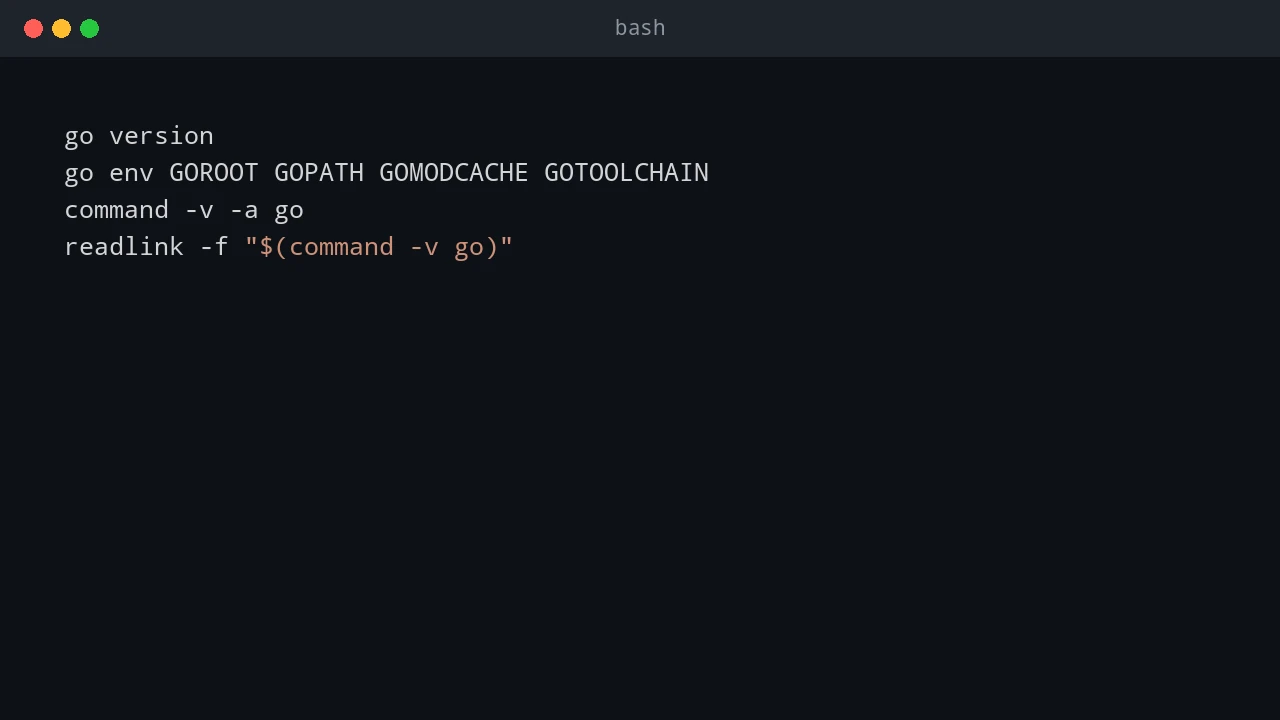
Run these commands in WSL or a Linux terminal:
go version
go env GOROOT GOPATH GOMODCACHE GOTOOLCHAIN
command -v -a go
readlink -f "$(command -v go)"
The common official archive installation resolves to /usr/local/go/bin/go, with GOROOT set to /usr/local/go. GOPATH and GOMODCACHE are normally below the user’s home directory. They contain installed helper programs and downloaded modules, not the compiler itself, and should not be deleted for a normal Go upgrade.
On Debian, Ubuntu, and WSL Ubuntu, this check can show whether a package owns the active Go binary:
dpkg -S "$(readlink -f "$(command -v go)")" 2>/dev/null || trueIf the command reports a package, update Go using the distribution or organization package process rather than installing an official archive over the top of it. Package repositories can intentionally lag upstream Go releases, so decide whether the distribution-supported version or the current upstream version is the requirement for that host.
Next, inspect the repository before any test changes its dependency files:
cd ~/src/inventory-api

git status --short
git diff --check
git diff -- go.mod go.sum
go env GOMOD
go env GOMOD should show the full path to the module’s go.mod. If it prints /dev/null, the shell is outside a Go module. Move to the project root before running package, build, or module commands.
Keep unrelated work out of this test. Commit it, stash it, or at least record the initial status. When go.mod changes later, you should know whether that change came from the upgrade test instead of an earlier unfinished task.
Choose the upgrade path
Use a side-by-side toolchain when the old Go version remains a supported target. A versioned command makes the compiler choice obvious in a terminal transcript and prevents a project migration from changing the plain go command used by other repositories. This is the right first step for a significant Go release, a shared development environment, or a CI matrix.
Use replacement when the WSL distribution or Linux machine needs one Go version and no existing project relies on the old one. It keeps shell profiles, editor settings, and scheduled jobs simple because go resolves to one place. Replacement should follow, not precede, successful project checks when you have that choice.
Do not extract multiple official Go archives into directories that all appear in PATH and hope the intended one wins. PATH ordering can change between interactive shells, CI agents, cron jobs, and editor terminals. For coexistence, call a versioned launcher explicitly. For a single installation, expose only the one /usr/local/go/bin directory.
Option 1: Install the latest Go release side by side
The golang.org/dl module supplies version-specific Go launcher commands. A launcher downloads the requested Go distribution into a per-user SDK directory, then runs that exact toolchain. It does not replace /usr/local/go and does not alter the normal go command.
The commands below use the existing working Go command to install a launcher for 1.26.6. Substitute the current release shown on go.dev if a newer version is available.
go install golang.org/dl/go1.26.6@latest

export PATH="$(go env GOPATH)/bin:$PATH"
go1.26.6 download
go1.26.6 version
go1.26.6 env GOROOT GOOS GOARCH
The PATH export applies only to the present shell. If versioned launcher commands will be used often, add the same line to the shell startup file used by the account, such as ~/.bashrc for Bash or ~/.zshrc for Zsh. Reload it with the correct command for the shell:
source ~/.bashrcOn WSL, reload the Linux shell profile inside the WSL terminal. Do not place this Linux PATH export in the Windows PowerShell profile; the Windows Go installation and WSL Go installation are separate environments.
Test the project with the versioned launcher before changing any module metadata:
cd ~/src/inventory-api

go1.26.6 test ./...
go1.26.6 vet ./...
go1.26.6 build ./...
For a repository with an intentional command layout, build the specific command rather than assuming every package is an executable:
go1.26.6 build ./cmd/apiThe side-by-side method is useful for repeatable scripts too. Resolve the launcher before running a gate so that the log records the actual executable used:
go_new="$(command -v go1.26.6)"
"$go_new" test ./...
status=$?

if [ "$status" -ne 0 ]; then
    printf 'Go 1.26.6 tests failed with exit code %s\n' "$status" >&2
    exit "$status"
fi
This launcher is a developer and test convenience, not an application deployment method. Build and publish production artifacts in a controlled build process. A server that runs an already built Go program does not need the Go compiler installed at all.
Option 2: Replace the existing Go installation
The official Linux archive installation puts Go in /usr/local/go. The archive expands to a directory named go, so extracting a new archive over an existing tree can leave stale files behind. Remove the existing tree first, but only after confirming that the active Go installation is actually /usr/local/go.
Start by determining the host architecture. Most WSL computers use x86_64, which corresponds to Go’s linux-amd64 archive. ARM64 hosts usually report aarch64 or arm64 and need the linux-arm64 archive instead.
uname -mFor an AMD64 host, download the official Go 1.26.6 archive and verify its digest before using sudo. The checksum below is the official SHA-256 value for go1.26.6.linux-amd64.tar.gz; take the value from the downloads page again when upgrading to a different release.
cd /tmp
curl -fLO https://go.dev/dl/go1.26.6.linux-amd64.tar.gz
echo '708effb774be8237570d0add163225abbdfaf4fca28b2611df167beba4feef89  go1.26.6.linux-amd64.tar.gz' | sha256sum -c -
sha256sum -c - must report OK. Stop if it does not. A failed verification means the filename, downloaded content, or expected checksum does not match; it is not a reason to repeat the command with sudo.
Confirm the active installation location one more time. These commands are intentionally separate from the removal command so a copied path is visible before a recursive delete occurs:
command -v go
readlink -f "$(command -v go)"
go env GOROOT
When the result confirms the old official archive is /usr/local/go, replace it:
sudo rm -rf /usr/local/go
sudo tar -C /usr/local -xzf /tmp/go1.26.6.linux-amd64.tar.gz
The removal command is deliberately limited to /usr/local/go. Never substitute $GOROOT, a shell variable, or a path copied from an uncertain command into this command. Do not remove ~/go, the Go module cache, or project directories; none of those is the official compiler tree.
Ensure the new Go binary is on PATH. For the standard archive installation, add /usr/local/go/bin to the shell profile while preserving the current path. Bash users can add it to ~/.bashrc:
printf '\nexport PATH="/usr/local/go/bin:$PATH"\n' >> ~/.bashrc
source ~/.bashrc

command -v -a go
go version
go env GOROOT GOPATH GOMODCACHE
Open a new WSL or Linux terminal and run the verification again. A running shell can have an old command lookup cached, and an IDE may retain an old environment until it is restarted. command -v -a go should show the intended /usr/local/go/bin/go before any competing installation.
If Go was installed by apt, dnf, pacman, an organization image, or a version manager, do not use the /usr/local/go removal procedure unless the diagnostics prove it is an abandoned separate installation. Update with the tool that installed the active binary, or intentionally remove the managed package first and then standardize on the official archive.
Keep go.mod and go.sum as deliberate changes
The local compiler release and a module’s declared Go version answer different questions. Consider this example:
module example.com/inventory-api

go 1.24

toolchain go1.25.4
The go directive sets the module’s minimum Go language and module behavior version. Changing it can prevent developers or CI jobs using older supported Go releases from building the project. Installing Go 1.26.6 on one WSL machine does not require changing go 1.24 to go 1.26.
The optional toolchain directive records a preferred Go toolchain for commands working in that module. It can make Go select or obtain a newer supported toolchain when the local one is too old. Update this directive only when the repository’s maintainers, CI configuration, and supported-version policy all move together.
Run the first test and build without a dependency-maintenance command. The before-and-after diff is the useful guardrail:
cd ~/src/inventory-api

git diff --exit-code -- go.mod go.sum
go test ./...
go build ./...
git diff --exit-code -- go.mod go.sum
If the last command exits with a nonzero status, inspect the files rather than assuming a toolchain change is harmless:
git diff -- go.mod go.sum
git status --short
Do not run go mod tidy solely because the compiler was upgraded. tidy is useful when imports or dependencies have intentionally changed, but it can add, remove, or update dependency requirements and checksums. Run it as a separate reviewed task when it is actually wanted:
go mod tidy
git diff --check
git diff -- go.mod go.sum
go test ./...
Accept the diff only when it makes sense for the repository. Do not remove a toolchain directive just to reduce a diff, and do not raise the go directive to mirror one developer’s local compiler without updating the CI matrix and documented support policy.
If an exploratory tidy operation made changes that should not be kept, restore only the two module files after confirming they contain no intended work:
git restore --source=HEAD -- go.mod go.sum
git status --short
That command assumes the files are tracked and the modifications are disposable. Save intended uncommitted dependency work first; do not use a broad Git reset to undo a small experiment.
Run the real project checks before switching
Seeing a new version from go version proves only that the compiler starts. The upgrade gate should match the repository’s CI commands. Use the versioned launcher for the side-by-side path, or plain go after a replacement installation:
go test ./...
go vet ./...
go build ./...
git diff --check
git diff --exit-code -- go.mod go.sum
Also run project-specific integration tests, generated-code checks, linters, and container builds. WSL is Linux, but a project that passes in an interactive WSL terminal can still fail in CI because of a missing environment variable, a file permission assumption, a build tag, or a different CPU architecture.
For a repository that promises support for multiple Go releases, use a short explicit matrix rather than repeatedly changing PATH:
go1.25.4 test ./...
go1.26.6 test ./...
Only keep versions that are part of the project’s actual support policy. Testing obsolete versions without a reason consumes time and makes upgrade results harder to interpret.
Common WSL and Linux upgrade problems
The most frequent issue in WSL is expecting the Windows Go installation to provide Go inside Ubuntu. It does not. Windows PowerShell and WSL have distinct filesystem layouts, process environments, and Linux executables. Install and configure Go inside the WSL distribution, then use the Linux command there.
Another common problem is a stale PATH entry. command -v -a go and readlink -f identify the binary that Bash will actually execute. Fix the profile entry or remove the conflicting old installation; do not work around it by hard-coding a Go binary path in every repository script.
Finally, a full module cache is not evidence that an upgrade failed. go clean -modcache is available when a diagnosed cache problem needs to be cleared, but it deletes downloaded modules and forces later downloads. It is not part of a routine Go upgrade, and it does not make a module compatible with a new release.
A practical upgrade sequence
For a shared Go project, start with the side-by-side launcher, test without changing go.mod, inspect the module diff, then update CI only when the result is clean. Decide separately whether the repository’s supported Go version needs to move. Once no active project requires the old release, replace the standard /usr/local/go installation and retain versioned launchers only for the compatibility versions the project still tests.
This approach gives a clean rollback path. A failed side-by-side test leaves the normal go command unchanged. A failed replacement can be fixed by reinstalling the previously supported archive, while source and module files remain intact because the initial compiler test did not rewrite them.
References
See also: Run Go Programs from PowerShell
💬 Comments