Go is a good place to coordinate a Windows utility that needs a compiled executable, HTTP service, queue worker, or structured application logic. PowerShell is still useful for the Windows task itself: calling a mature module, querying local configuration, or using an administrative command that already exists as a script.
The reliable boundary is a PowerShell script file with named parameters, predictable standard output, useful standard error, and an explicit exit code. Let Go launch that file as a process. Do not build one large PowerShell command string from user input and hand it to -Command; nested quoting becomes fragile and command injection becomes easy to introduce.
This post runs a local PowerShell service-query script from a Go program on Windows. The same pattern works for scripts that manage certificates, scheduled tasks, Active Directory through a documented module, or a controlled deployment action. Keep the PowerShell script narrow and testable, and keep the Go process responsible for inputs, timeout, logging, and the result it returns to its caller.
Up front
Use Go’s exec.CommandContext to call pwsh.exe or powershell.exe with -NoLogo, -NoProfile, -NonInteractive, and -File. Pass the script path and each script parameter as a separate argument. Make the PowerShell script set $ErrorActionPreference = 'Stop', emit a small JSON object to standard output, write failures to standard error, and call exit 0 or exit 1. In Go, capture stdout and stderr separately, check context expiry, check the process exit status, then unmarshal only successful stdout as JSON.
When Go should call PowerShell
This approach is useful when PowerShell has a direct, supported way to complete a Windows management task and Go supplies the wider application behavior. For example, a Go service can accept a request, validate authorization, record an audit event, invoke a small signed script, and return JSON to an API client. The script can remain independently runnable by an administrator for diagnosis.
Do not use Go-to-PowerShell invocation as a reason to move every line of a Go program into a shell string. If the work is portable application logic, keep it in Go. If a PowerShell cmdlet, module, or existing administrative workflow does the platform-specific job cleanly, call a script that owns only that job.
The reverse pattern, where PowerShell runs a compiled Go executable, is useful when PowerShell is the automation layer. Here Go is the parent process, so it is responsible for locating the PowerShell host, choosing a working directory, passing arguments, enforcing a timeout, and interpreting process results.
Choose the PowerShell host before writing the Go call
Windows commonly has two PowerShell hosts:
powershell.exeis Windows PowerShell 5.1, installed with Windows and based on .NET Framework.pwsh.exeis PowerShell 7 or later, installed separately and based on modern .NET.
They have overlapping syntax but can differ in available modules, .NET APIs, remoting behavior, and output details. Choose the host required by the script and its dependencies. Do not silently prefer PowerShell 7 when the script requires a module only available in Windows PowerShell 5.1, and do not assume a Windows PowerShell-only script will run unchanged under pwsh.
For a Windows-only tool, keep the choice in one function. This example prefers PowerShell 7 when it exists, then falls back to Windows PowerShell. In a production service, a configuration setting is often clearer than automatic selection because it makes the supported host explicit.
func findPowerShell() (string, error) {
    for _, candidate := range []string{"pwsh.exe", "powershell.exe"} {
        if path, err := exec.LookPath(candidate); err == nil {
            return path, nil
        }
    }

    return "", errors.New("PowerShell was not found on PATH")
}
Use exec.LookPath rather than assuming a hard-coded installation path. It returns the actual executable Go will start and produces a useful failure before the program attempts an administrative action. Log the selected host and its version during application startup if troubleshooting different servers is expected.
The -File parameter is important. It marks the remaining command-line values as the script path and its parameters. It is easier to audit than a dynamically constructed -Command string, and Go can supply every argument as a separate value without asking a shell to parse it again.
Create a PowerShell script with a clear contract
Put the script in the application source tree, for example scripts\get-service-state.ps1. Define named parameters and reject invalid input in PowerShell as well as in Go. This gives an administrator a normal script interface and prevents a future caller from relying on undocumented positional arguments.
[CmdletBinding()]
param(
    [Parameter(Mandatory)]
    [ValidateNotNullOrEmpty()]
    [string]$ServiceName
)

$ErrorActionPreference = 'Stop'

try {
    $service = Get-Service -Name $ServiceName -ErrorAction Stop

    [pscustomobject]@{
        Name        = $service.Name
        DisplayName = $service.DisplayName
        Status      = $service.Status.ToString()
    } | ConvertTo-Json -Compress

    exit 0
}
catch {
    [Console]::Error.WriteLine($_.Exception.Message)
    exit 1
}
$ErrorActionPreference = 'Stop' turns many non-terminating cmdlet errors into errors the catch block can handle. Without it, a failed command can write an error record but let the script continue, perhaps printing incomplete output and returning success. Individual cmdlets can also use -ErrorAction Stop, as the example does for the service lookup.
Keep standard output machine-readable. ConvertTo-Json -Compress produces one JSON document without decorative host output. Use Write-Verbose for optional diagnostics and Write-Error or [Console]::Error.WriteLine() for failures. Do not write a progress bar, banner, or human-oriented status message to standard output when Go expects JSON there.
The explicit exit 0 and exit 1 make the process contract clear for both PowerShell 7 and Windows PowerShell. A successful script must not depend on whatever command happened to execute last. If an administrative script needs a more detailed internal error classification, put a stable code or message in its JSON error response or stderr and document it; do not expect every PowerShell host to preserve arbitrary native exit codes in exactly the same way.
Run the script directly once before adding Go. This verifies permissions, the chosen PowerShell edition, and the JSON shape without hiding a script problem behind Go error handling:
pwsh.exe -NoLogo -NoProfile -NonInteractive -File .\scripts\get-service-state.ps1 -ServiceName Spooler
$LASTEXITCODE
Replace pwsh.exe with powershell.exe when testing Windows PowerShell 5.1. Test a nonexistent service too, and confirm the script writes a useful error and returns a nonzero status.
Call the script from Go with separate arguments
The complete Go example below finds a PowerShell host, resolves the script path, limits the call to 30 seconds, and prints the decoded JSON result. The exec.CommandContext argument list is the key detail: every string after the executable is one argument. There is no cmd.exe, no shell expansion, and no concatenated command text.
package main

import (
    "bytes"
    "context"
    "encoding/json"
    "errors"
    "fmt"
    "os"
    "os/exec"
    "path/filepath"
    "strings"
    "time"
)

type ServiceState struct {
    Name        string
    DisplayName string
    Status      string
}

func main() {
    powerShell, err := findPowerShell()
    if err != nil {
        fmt.Fprintln(os.Stderr, err)
        os.Exit(1)
    }

    scriptPath, err := filepath.Abs(filepath.Join("scripts", "get-service-state.ps1"))
    if err != nil {
        fmt.Fprintln(os.Stderr, err)
        os.Exit(1)
    }

    ctx, cancel := context.WithTimeout(context.Background(), 30*time.Second)
    defer cancel()

    state, err := getServiceState(ctx, powerShell, scriptPath, "Spooler")
    if err != nil {
        fmt.Fprintln(os.Stderr, err)
        os.Exit(1)
    }

    fmt.Printf("%s is %s\n", state.DisplayName, state.Status)
}

func findPowerShell() (string, error) {
    for _, candidate := range []string{"pwsh.exe", "powershell.exe"} {
        if path, err := exec.LookPath(candidate); err == nil {
            return path, nil
        }
    }

    return "", errors.New("PowerShell was not found on PATH")
}

func getServiceState(ctx context.Context, powerShell, scriptPath, serviceName string) (ServiceState, error) {
    cmd := exec.CommandContext(
        ctx,
        powerShell,
        "-NoLogo",
        "-NoProfile",
        "-NonInteractive",
        "-File",
        scriptPath,
        "-ServiceName",
        serviceName,
    )

    var stdout bytes.Buffer
    var stderr bytes.Buffer
    cmd.Stdout = &stdout
    cmd.Stderr = &stderr

    err := cmd.Run()
    if ctx.Err() != nil {
        return ServiceState{}, fmt.Errorf("PowerShell timed out: %w; stderr: %s", ctx.Err(), strings.TrimSpace(stderr.String()))
    }

    if err != nil {
        var exitError *exec.ExitError
        if errors.As(err, &exitError) {
            return ServiceState{}, fmt.Errorf("PowerShell exited with code %d: %s", exitError.ExitCode(), strings.TrimSpace(stderr.String()))
        }

        return ServiceState{}, fmt.Errorf("start PowerShell: %w", err)
    }

    var state ServiceState
    if err := json.Unmarshal(stdout.Bytes(), &state); err != nil {
        return ServiceState{}, fmt.Errorf("decode PowerShell JSON %q: %w", strings.TrimSpace(stdout.String()), err)
    }

    return state, nil
}
Build and run it from the project root:
go run .Use an absolute script path, as the example does, or set cmd.Dir deliberately. A Go process can be started by a Windows service, Task Scheduler, an IDE, or a different working folder. Relative paths that work in an interactive terminal often fail in those environments.
Read JSON output and preserve useful errors
The Go code keeps stdout and stderr in separate buffers. That is intentional. A zero exit code means stdout should contain the JSON result, so Go decodes it only after cmd.Run() succeeds. A nonzero exit code means stderr carries the explanation that should appear in application logs or an API error response after appropriate redaction.
Avoid cmd.CombinedOutput() for a JSON contract. It is convenient for a one-off troubleshooting command, but it mixes error output with the JSON document and makes decoding unreliable. Separate streams also preserve the distinction between an operational result and a diagnostic message.
The timeout comes from context.WithTimeout. It prevents an unattended Go service from waiting forever for a script that is blocked on a network operation, a credential prompt, or a broken provider. Choose a timeout that matches the expected task. A local service query may need seconds; a controlled remote inventory job may need minutes. Do not set a huge timeout only to avoid handling the failure path.
The PowerShell flags also matter:
-NoLogoremoves the startup banner from console use.-NoProfileprevents a user’s profile from loading aliases, modules, prompts, and side effects into an application process.-NonInteractiveprevents a background program from waiting for interactive input.-Fileruns a reviewed script file and supplies its parameters after the path.
Do not use -Command with interpolated input such as "Get-Service -Name $serviceName". Escaping quotes for the Go string, Windows process creation, and PowerShell parser is error-prone. More importantly, a malicious or malformed value can become executable PowerShell code. The -File argument list gives -ServiceName a literal value that the script validates.
Pass larger structured input through standard input
Named command-line parameters are ideal for a few simple values. They are awkward for arrays and should not carry secrets because process command lines can be visible to administrators and diagnostic tools. For a larger request, send one JSON document through standard input and have the script read it explicitly.
The Go side can serialize a request and attach it to cmd.Stdin:
payload := []byte(`{"serviceNames":["Spooler","w32time"]}`)

cmd := exec.CommandContext(ctx, powerShell, "-NoLogo", "-NoProfile", "-NonInteractive", "-File", scriptPath)
cmd.Stdin = bytes.NewReader(payload)
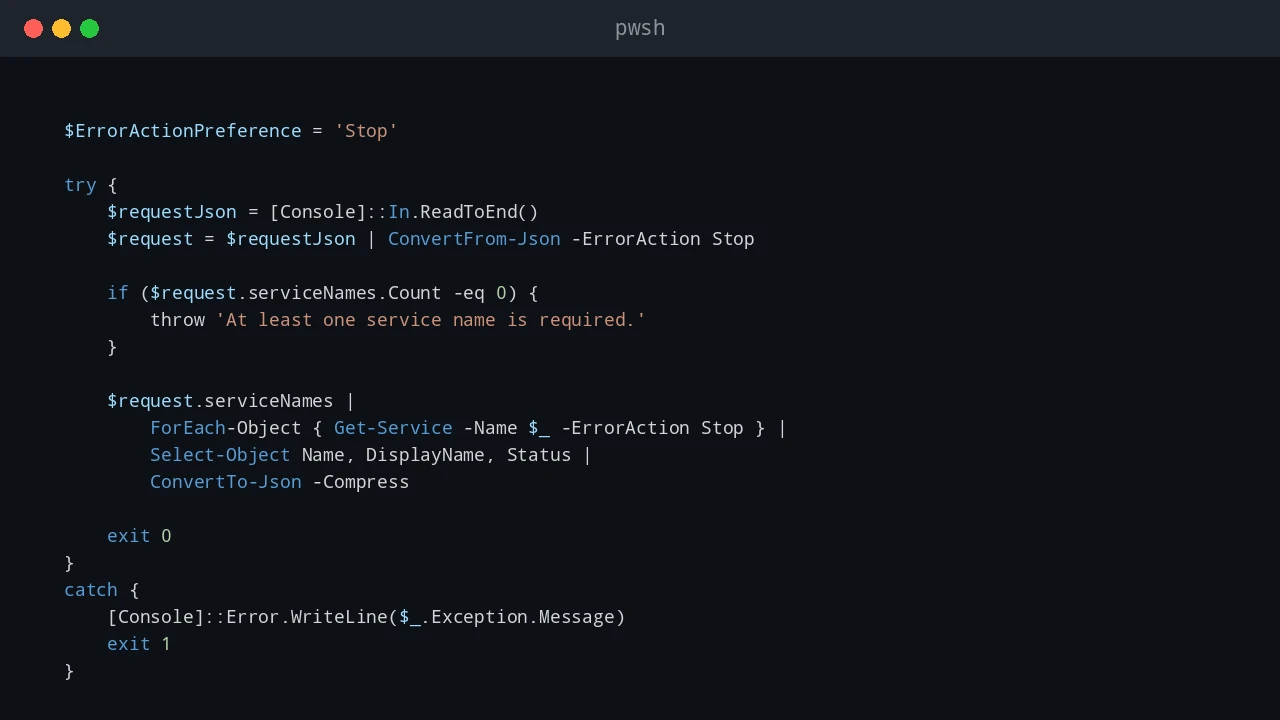
The matching PowerShell script reads the full input stream, validates it, and can return JSON in the same way as the earlier example:
$ErrorActionPreference = 'Stop'

try {
    $requestJson = [Console]::In.ReadToEnd()
    $request = $requestJson | ConvertFrom-Json -ErrorAction Stop

    if ($request.serviceNames.Count -eq 0) {
        throw 'At least one service name is required.'
    }

    $request.serviceNames |
        ForEach-Object { Get-Service -Name $_ -ErrorAction Stop } |
        Select-Object Name, DisplayName, Status |
        ConvertTo-Json -Compress

    exit 0
}
catch {
    [Console]::Error.WriteLine($_.Exception.Message)
    exit 1
}
Use stdin only when the process is designed to consume it. Do not mix a script that prompts with a Go parent that also sends data to stdin. For sensitive data, prefer a secured secret store, Windows integrated authentication, or a restricted file/pipe approach designed for the application. Avoid putting passwords, tokens, or private keys into an argument list or plain-text JSON without a clear protection model.
Handle security and policy
An execution-policy failure is a deployment configuration issue, not something Go should quietly bypass. Do not add -ExecutionPolicy Bypass to an application command line as a permanent fix. Use the organization’s execution-policy, code-signing, application-control, and least-privilege requirements. A script that needs administrator rights should fail clearly when the parent process lacks them; it should not attempt to self-elevate without an explicit design and user consent path.
Treat the .ps1 file as application code. Store it in source control, test it directly, deploy it with known permissions, and log its version alongside the Go application version. When a script changes the system, log the request identifier and the target, but redact secrets and avoid dumping untrusted input into a log line.
For a long-running service, run the Go process under a dedicated service identity with the smallest permissions needed for the PowerShell task. The PowerShell child inherits that identity. Starting a desktop PowerShell process with a broad administrator account simply because one command needs a privileged operation creates a much larger security boundary than necessary.
Test the process boundary, not just each language
Test the PowerShell script directly first, then test the Go program against both a successful and failing input. Check these cases before relying on the integration:
- The requested service exists and the Go program receives valid JSON.
- The requested service does not exist and the Go program receives a nonzero exit code plus useful stderr.
pwsh.exeis missing, or the configured host is not on PATH.- The script file is missing or cannot be read by the process identity.
- A slow or blocked script reaches the Go timeout and the caller receives a clear failure.
- The selected host is the one required by the script’s modules and target Windows version.
Add these tests around a small wrapper interface if the Go application needs unit tests without launching a real PowerShell process. Keep at least one integration test that invokes the real script in a controlled Windows environment. A mock proves the Go code handles a contract; only an integration test proves the chosen PowerShell host, script, permissions, and serialization work together.
WSL and cross-platform notes
This article’s primary example is a native Windows Go program calling pwsh.exe or powershell.exe. A Go binary running inside WSL should normally call the Linux pwsh executable and use Linux paths to its .ps1 files. Although WSL can launch some Windows executables, mixing Windows and Linux paths, permissions, and PowerShell editions makes production behavior harder to reason about.
If the same Go program must run on both Windows and Linux, keep the PowerShell host name and script location in configuration, and test both environments separately. Do not assume that a Windows-only module or registry command works in PowerShell on Linux.
References
See also: Run Go Programs from PowerShell
💬 Comments